Chat overview
Chat is where your team talks. Open conversations live in channels, one-to-one and small-group talk happens in direct messages, and any message can grow a thread so a side discussion doesn’t bury the main one. Issues, documents and people you follow get their own conversations in Chat too, so comments on your work are one click away.
Open Chat from the left rail.
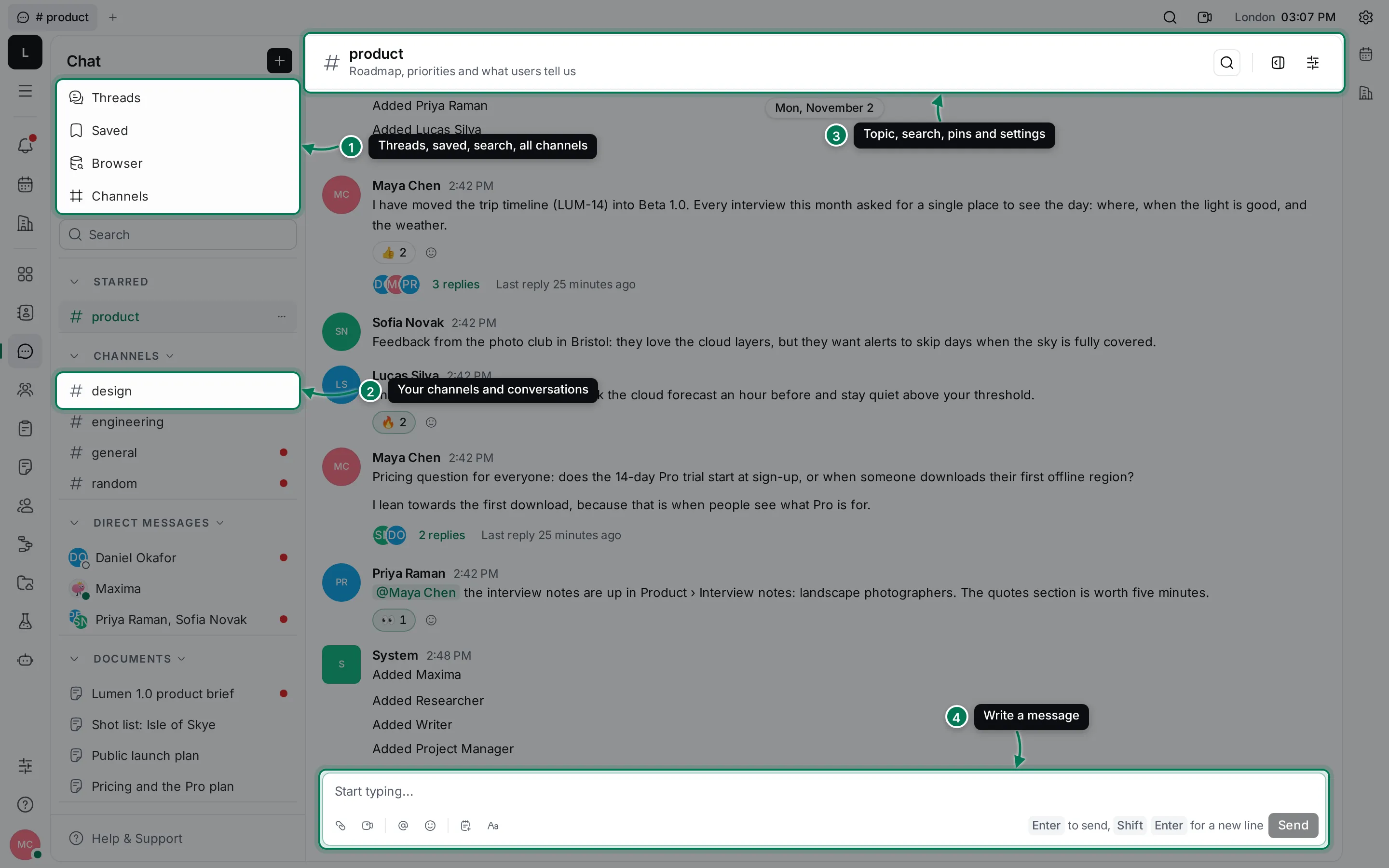
A short tour
Section titled “A short tour”- Views at the top of the navigator: Threads (every thread you take part in), Saved (messages you kept for later), Browser (search across messages, files and contacts) and Channels (every channel in the workspace, including ones you haven’t joined).
- Search under the views jumps straight to Browser with your words.
- The navigator lists your conversations in sections: Starred, Channels, Direct messages, and then one section for each kind of object you follow, such as Documents and Issues. A red dot marks a conversation with unread messages.
- The header of a conversation shows its name and topic, a search button, pinned messages, Open in sidebar and Settings.
- The message box at the bottom sends with Enter; Shift+Enter starts a new line.
The + button next to the Chat title (its tooltip is New message) starts a new channel or a new direct chat.
In this section
Section titled “In this section”ChannelsCreate, browse and join channels, and manage members and settings.
Write messagesMentions, formatting, files, code, emoji, editing and deleting.
Threads and reactionsReply in a thread, react, and keep a conversation open in the sidebar.
Direct messagesPrivate conversations with one person or a small group.
Saved, pinned and searchKeep messages for later, pin the important ones and find anything.
Notifications about chat land in your Inbox.