Activity and memory
Activity shows what your workers are doing right now, their bigger jobs, and everything they did. Memory shows what they remember about your work, so you can correct it or delete it.
Watch the workers live
Section titled “Watch the workers live”Open AI Workers › Activity. The Live view shows each worker’s steps as they happen: what reached it, every tool it used, and its answer.
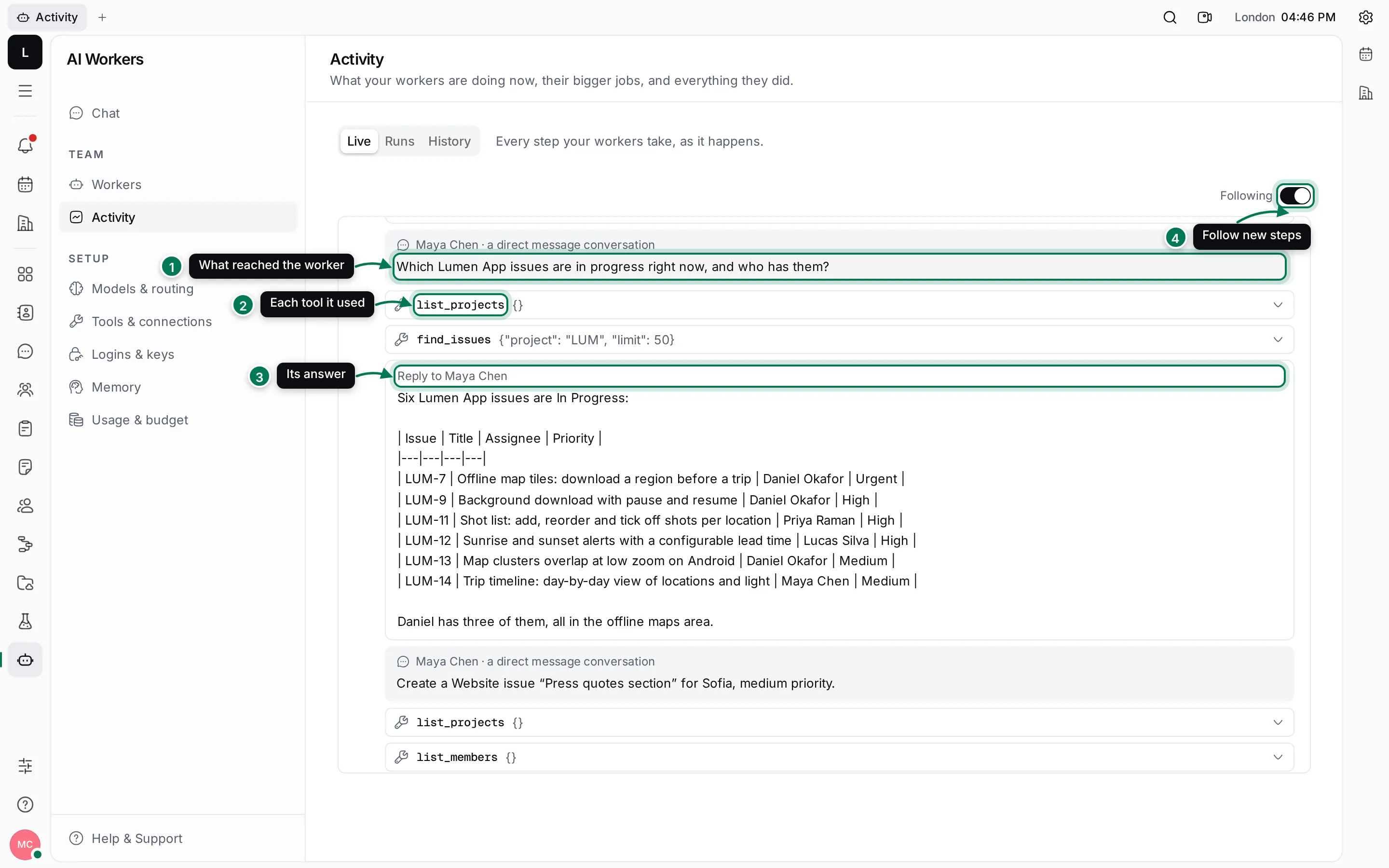
Steps are grouped by worker: each group starts with the worker’s name and the time span it worked in.
- What reached the worker: a direct message, a comment on an issue, a channel message or a task, and from whom.
- Each tool it used, with what it asked for. Click a step to see the input and the result.
- Its answer, and who it replied to.
- Following keeps the newest steps in view. Switch it off to read older steps in peace; a note tells you how many new steps arrived.
Live is the place to look when a worker is taking a while, or when an answer surprises you: you see which issues it looked up and which tools it called.
Review history
Section titled “Review history”The History view has two parts.
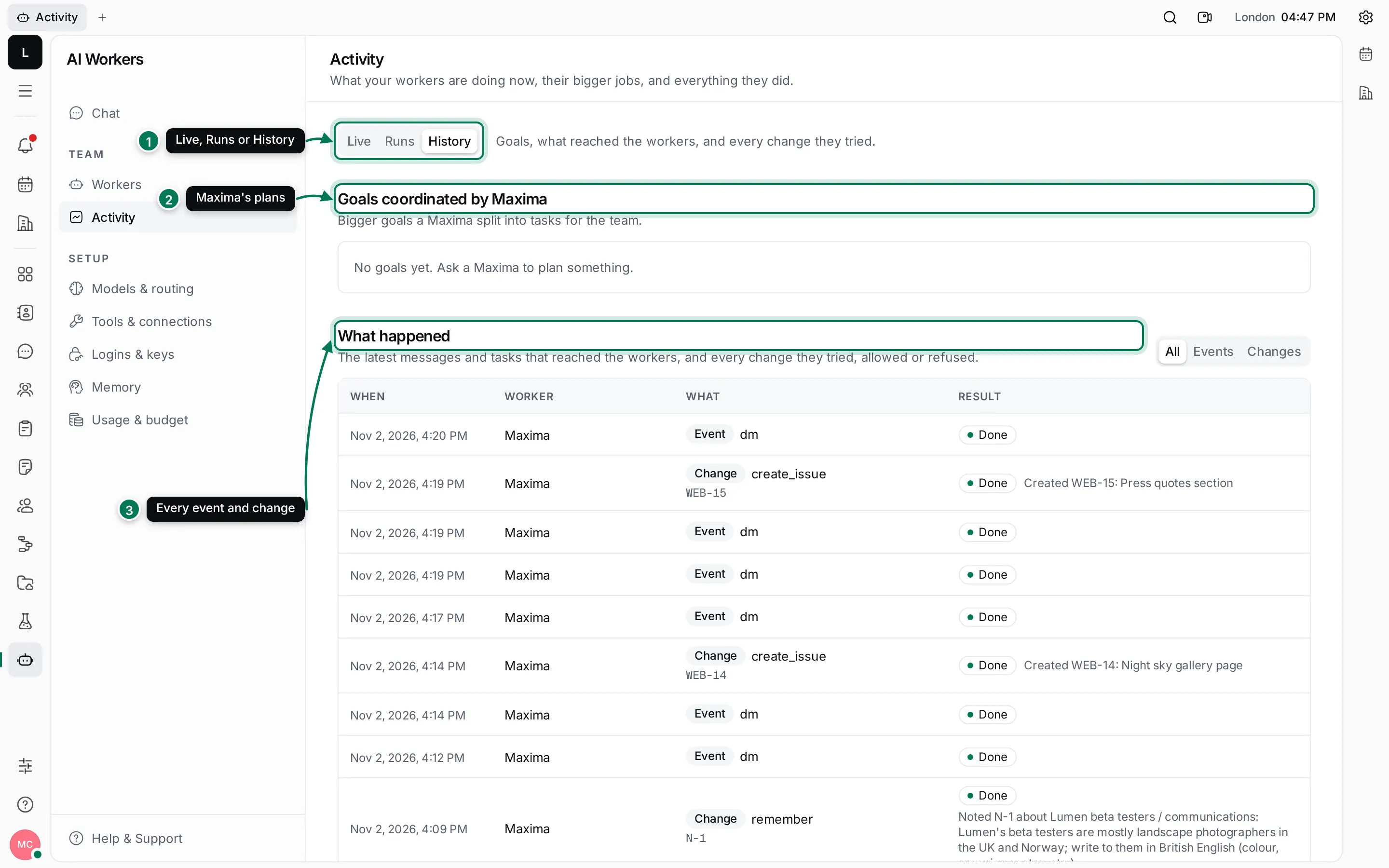
- Switch between Live, Runs and History at the top.
- Goals coordinated by Maxima lists the bigger goals Maxima split into tasks, with each task, who has it (a person or a worker), and its state.
- What happened lists the latest messages and tasks that reached the workers, and every change they tried, allowed or refused. Use All, Events or Changes to filter it.
Each event shows its kind (mention, dm, assignment and so on) and its result. Done means the worker handled it; Ignored with not addressed to the agent means the message was in a channel the worker belongs to but wasn’t meant for it. Each change shows what the worker did, such as remember or creating an issue, and whether it was allowed.
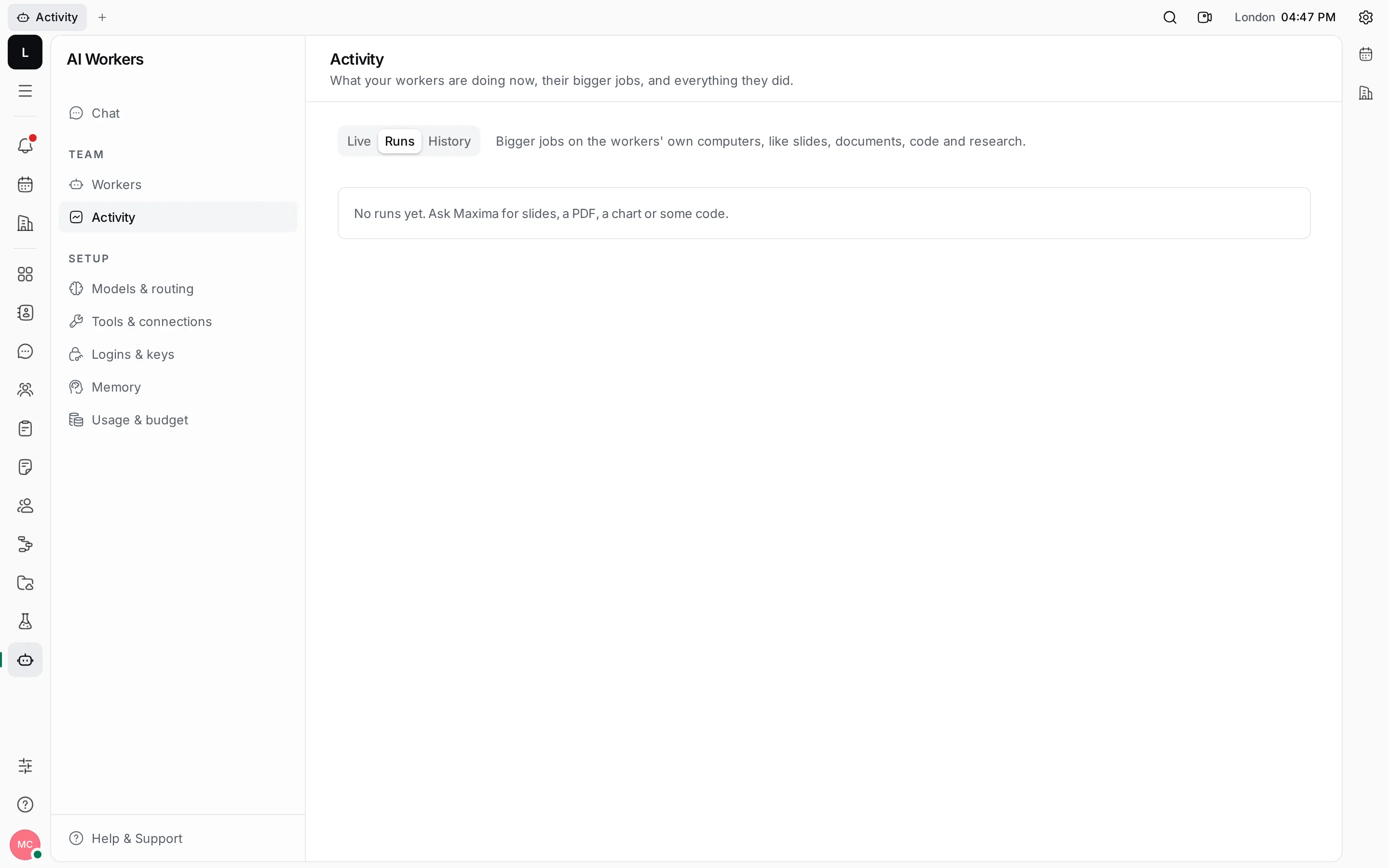
Bigger jobs run on the worker’s own computer: slides, documents, charts, code and research. The Runs view lists them with who started them, their status, time, tokens and cost, and the files they made. Steps shows a run’s steps in Live; Stop ends a run (its files are kept).
Memory
Section titled “Memory”Workers remember lasting facts about your work, and keep a journal of the jobs they finish. Open AI Workers › Memory to see both.
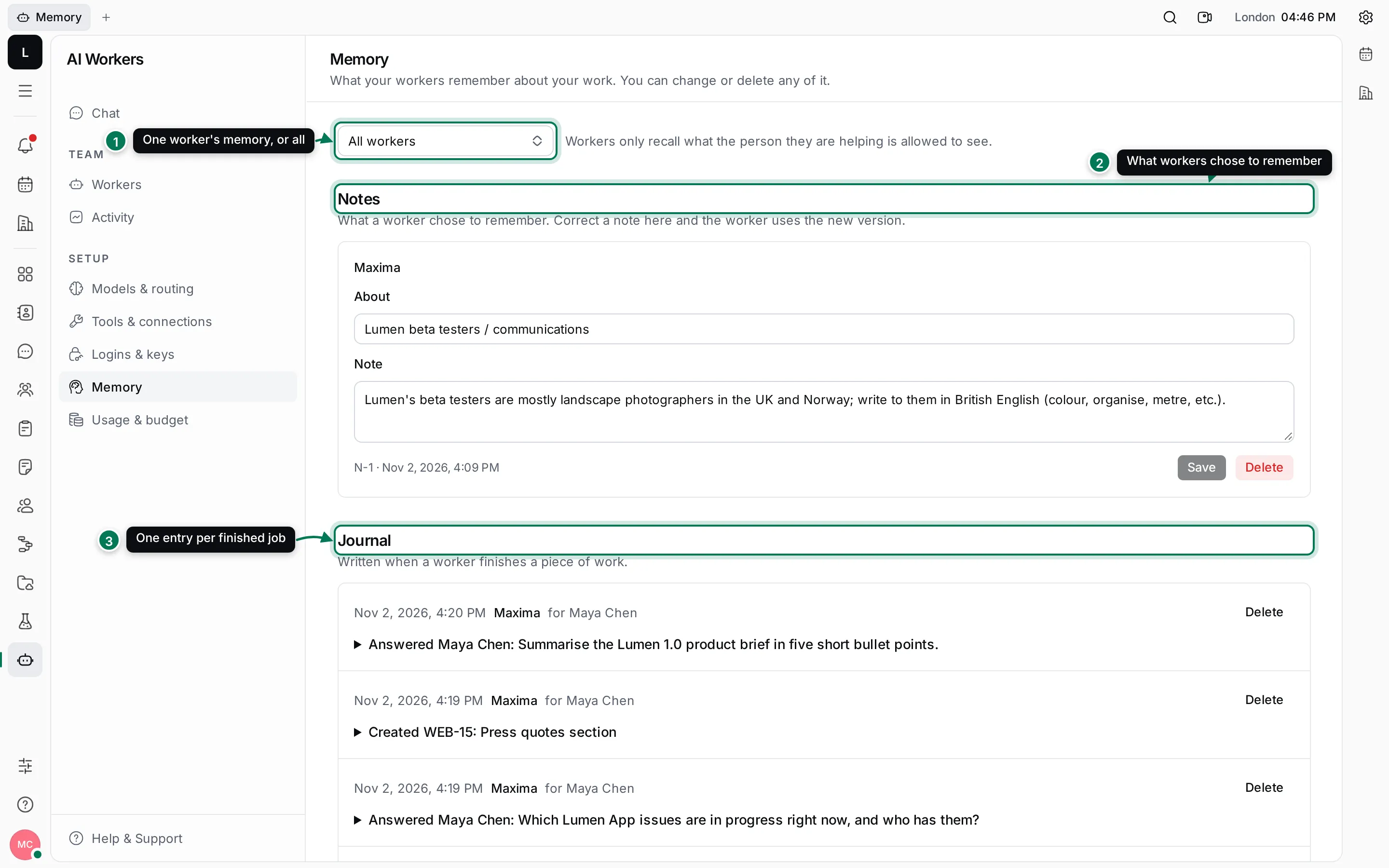
- Show the memory of All workers, or of one.
- Notes are what a worker chose to remember, each with what it is About. Ask a worker to remember something and a note appears here.
- The Journal has one entry per finished piece of work: which worker, for whom, and what it did.
Correct or delete a memory
Section titled “Correct or delete a memory”- Find the note under Notes.
- Change the About or Note text and click Save. The worker uses the new version from then on.
- To remove it, click Delete and confirm. The worker forgets it for good.
Journal entries can be deleted the same way; the worker then no longer recalls that piece of work.
Workers only recall what the person they are helping is allowed to see. A note saved while helping Priya with a private document doesn’t surface when Sofia asks something.
See also Chat with Maxima and Mention and assign workers.