Departments
Departments group the people of your company, such as Product, Engineering and Marketing. They decide which people a schedule shows and which public holidays apply. Organization is the top of the tree: everyone in the workspace is in it, and every other department sits under it.
Create a department
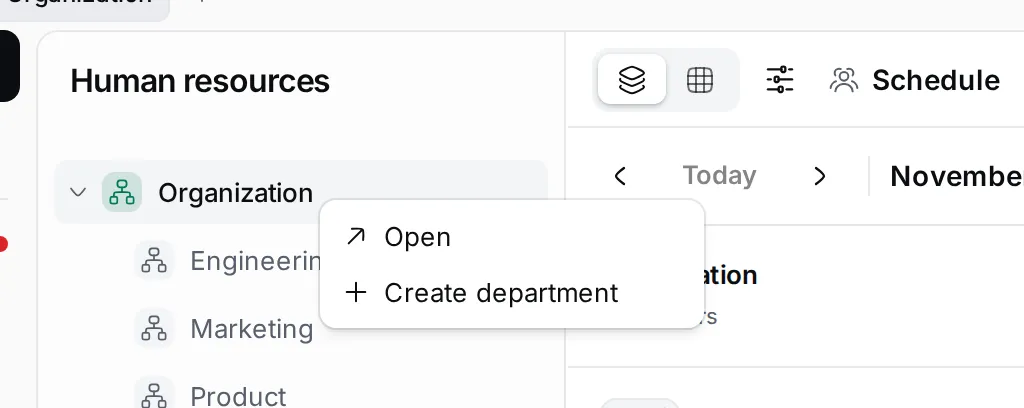
Section titled “Create a department”- In the navigator, right-click Organization, or the department the new one belongs under. You can also hover over it and click ⋯.
- Choose Create department.
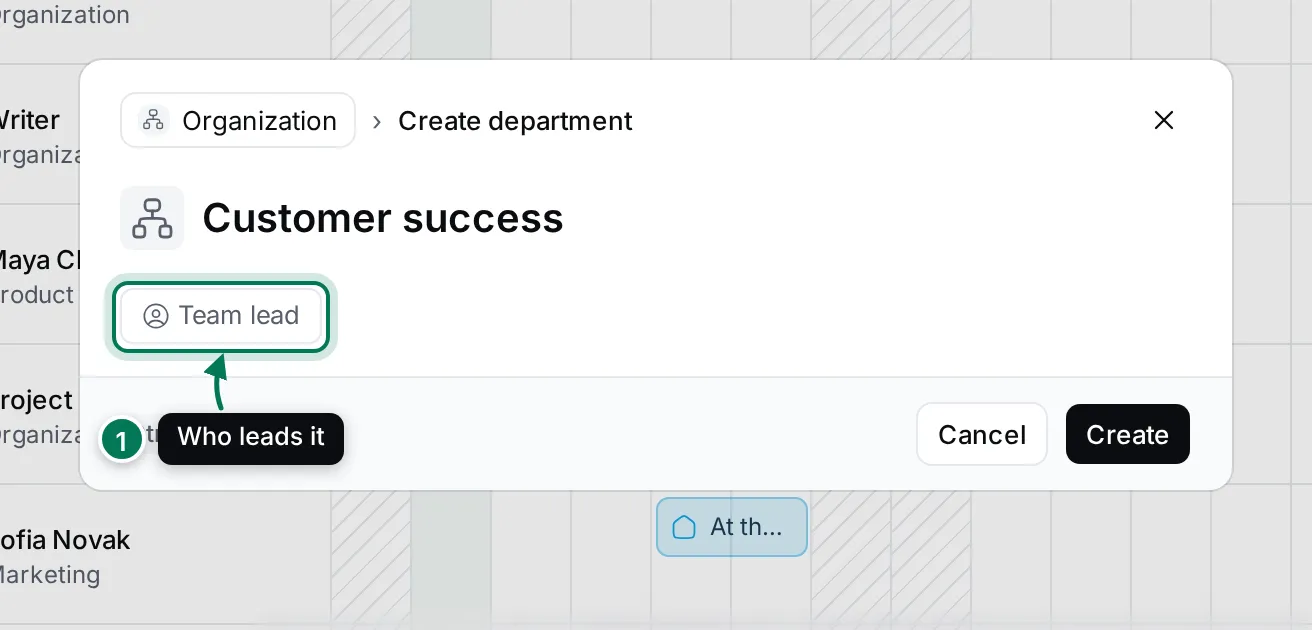
- Type the name of the department.
- Click Team lead (1) to pick who leads it, if you know.
- Click Create.
The new department appears in the tree, sorted by name. Click the arrow next to a department to fold its sub-departments.
Set up a department
Section titled “Set up a department”Choose Open in a department’s menu to see its page.
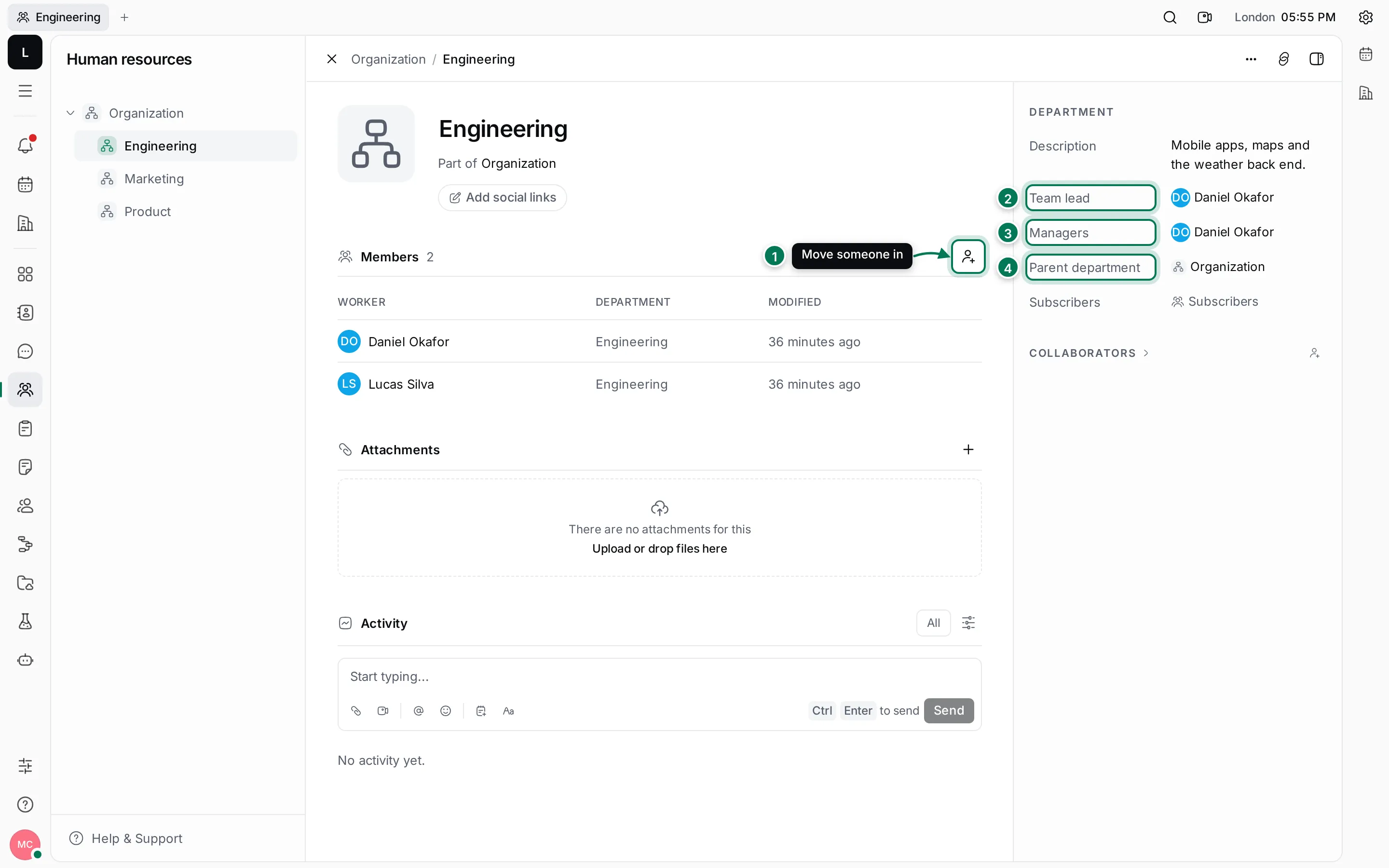
- Members: click + to move someone into the department. Pick a colleague from the list; they leave their old department.
- Team lead: the person who leads the department. Choose Nobody to clear it.
- Managers: one or more people who manage it.
- Parent department: where the department sits in the tree. Change it to move the department, with its sub-departments.
You can also give the department a Description, an avatar colour or picture (click the tile next to its name), contact info with Add social links, and attachments. Subscribers in the sidebar are the people and companies to keep informed about the department. The activity feed shows every change, and you can comment there.
Close the page with × or Esc; you go back to the department’s schedule.
Move a person to another department
Section titled “Move a person to another department”There are three ways:
- On the department page, click + under Members and pick the person.
- In Contacts, right-click a colleague and choose Department, then the new department.
- In Statistics, right-click a person and choose Department. Select several people first to move them together.
Each person is in one department. Their department shows under their name on the schedule.
Delete a department
Section titled “Delete a department”Right-click the department and choose Delete, then confirm. You can only delete a department with no members, so move its people out first. Organization can’t be deleted.