Slack
The Slack integration adds the Maxint Work app to your Slack workspace. Once a workspace owner has connected it:
- Notifications: new issues, status changes, assignments and @mentions in issues are posted to one Slack channel, with a link back to the issue. Issues of private projects are never posted.
/maxima <question>: asks Maxima from Slack. Only you see the answer.@Maxint Work <question>in a channel: Maxima answers in the message’s thread.- Create issue: on any Slack message, open ⋯ › Create issue to turn the thread into an issue in a public project. The thread’s text and a link to it become the issue’s first comment.
Slack is connected once for the whole workspace. Other members see Only workspace owners can connect or change Slack. on the card.
Connect Slack
Section titled “Connect Slack”-
Open Settings › Integrations and click Connect on the Slack card.
-
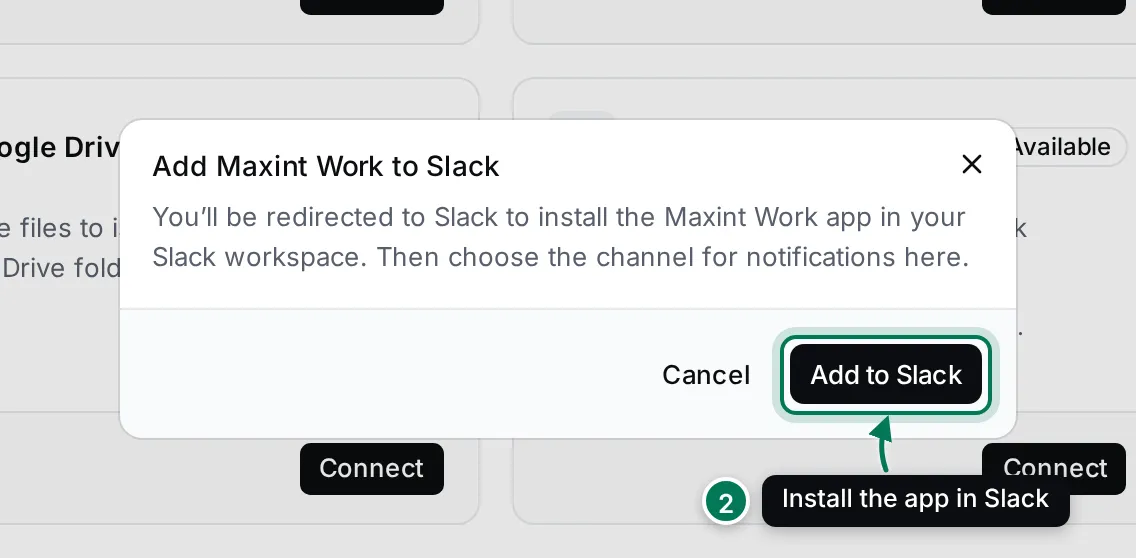
In Add Maxint Work to Slack, click Add to Slack.
-
Slack opens. Choose your Slack workspace and click Allow.
-
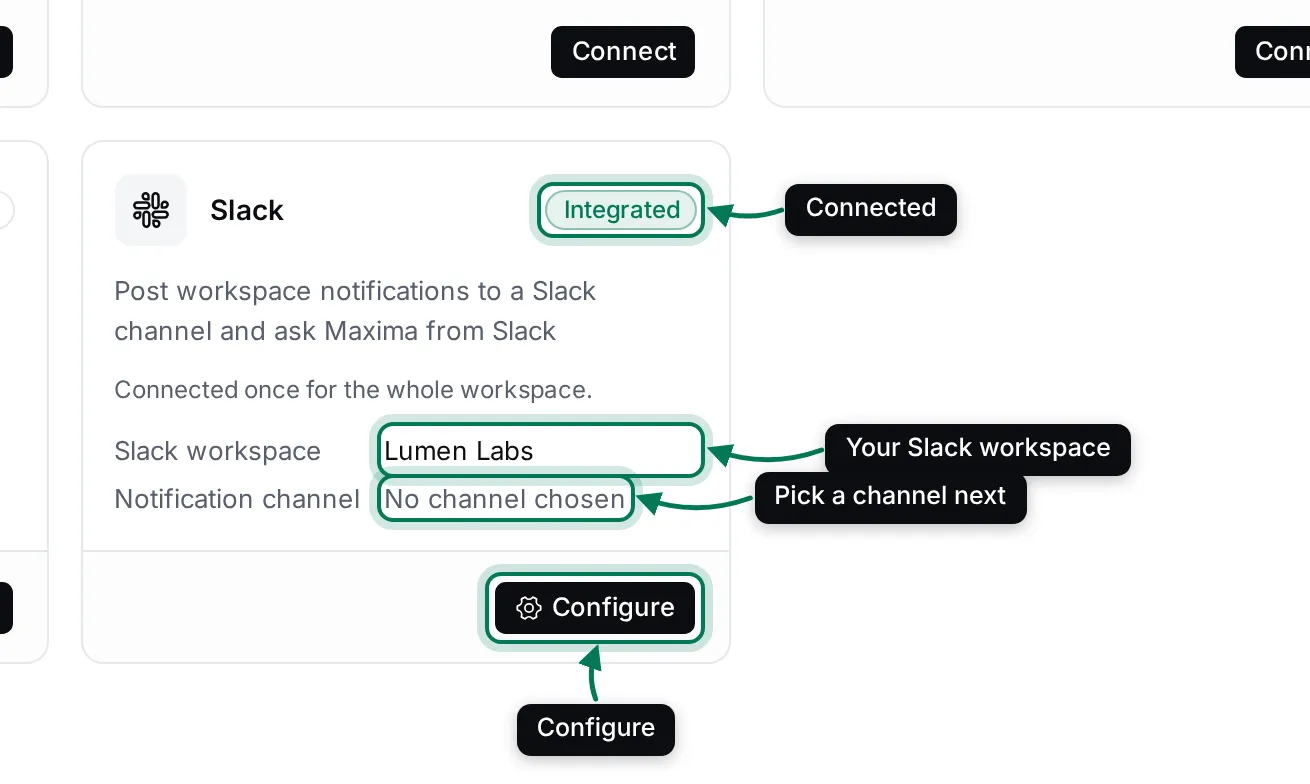
You come back to Settings. The card says Integrated and shows your Slack workspace, with No channel chosen for notifications.
Choose the notification channel
Section titled “Choose the notification channel”-
In Slack, create a public channel for the notifications if you don’t have one, and type
/invite @Maxint Workin it. -
In Settings › Integrations, click Configure on the Slack card.
-
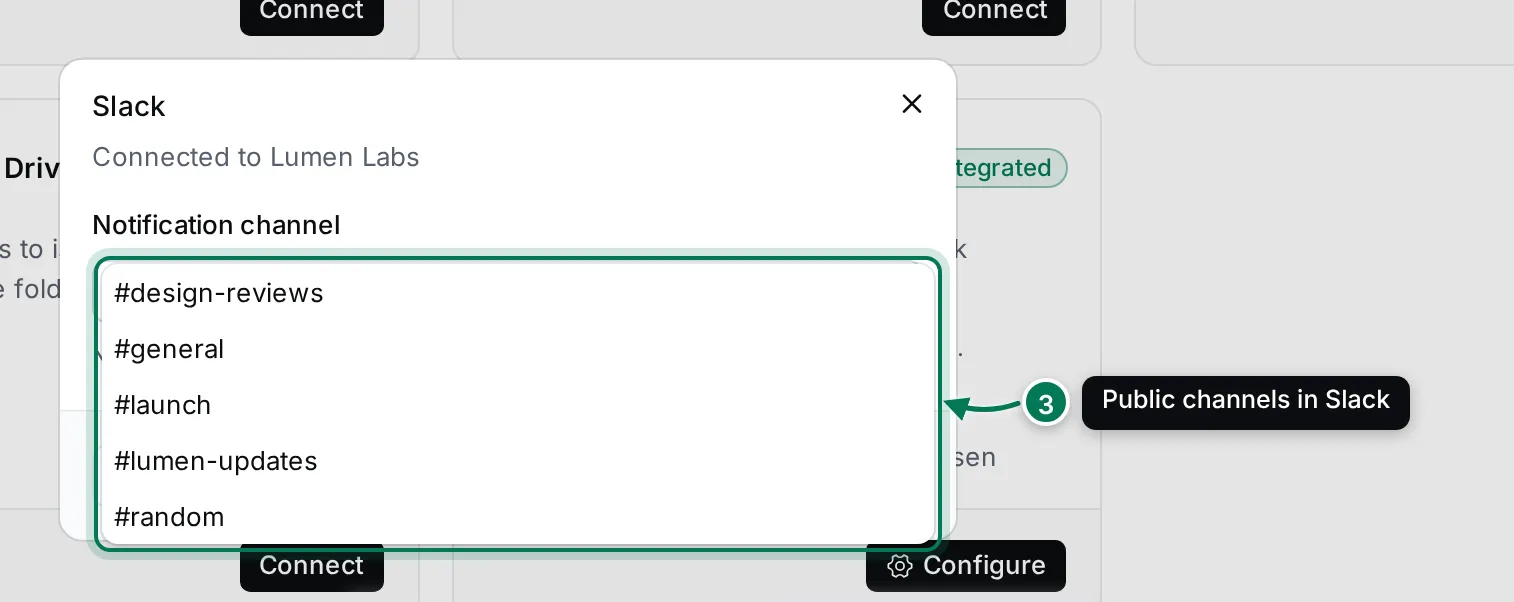
Open Notification channel and pick the channel. The list shows your Slack workspace’s public channels.
-
Click Save channel. Settings says Notifications will go to #….
If you pick a channel the app isn’t in yet, the dialog says so: type /invite @Maxint Work in that channel first, or
notifications can’t be posted there.
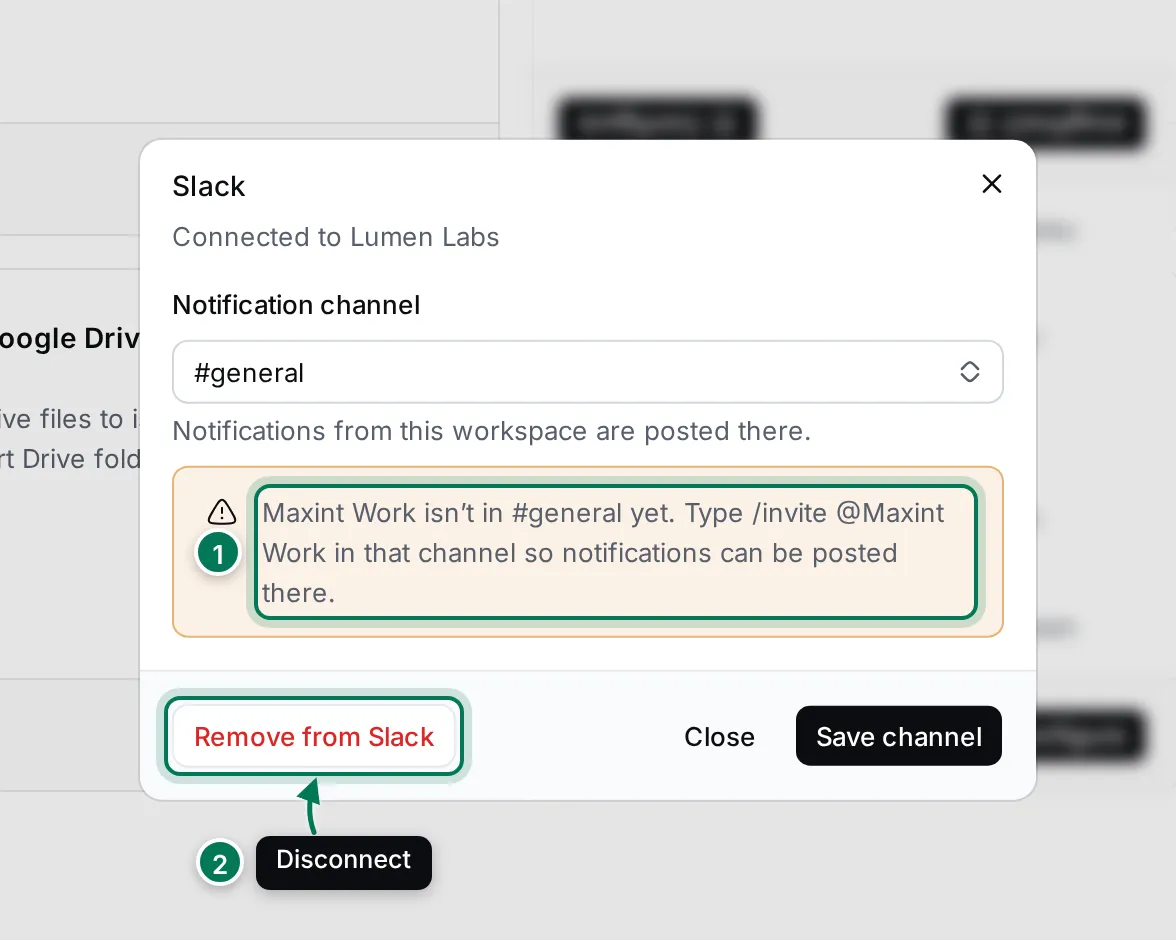
- The hint for a channel the app isn’t in.
- Remove from Slack disconnects Slack.
Who can use Maxima and Create issue from Slack
Section titled “Who can use Maxima and Create issue from Slack”Maxint Work recognises a Slack user by the email of their Slack profile. It must be a verified email of a member of your workspace (not a guest). Anyone else is told which email to get invited with.
Maxima and Create issue act as the person who asked, with that person’s permissions in Maxint Work.
Disconnect Slack
Section titled “Disconnect Slack”Click Configure on the Slack card, then Remove from Slack, and confirm. Notifications stop, Maxima no longer answers in Slack, and the app’s access to your Slack workspace is revoked. You can add it again at any time.
A Slack workspace connects to one Maxint Work workspace at a time.