Work // Human resources
Statistics
Statistics turns the schedule into numbers: how many days each person worked in a month, how much time off they took, and how much time they reported on issues. It’s useful for payroll and for month-end reports.
Open Human resources and click the table button next to the schedule button at the top left.
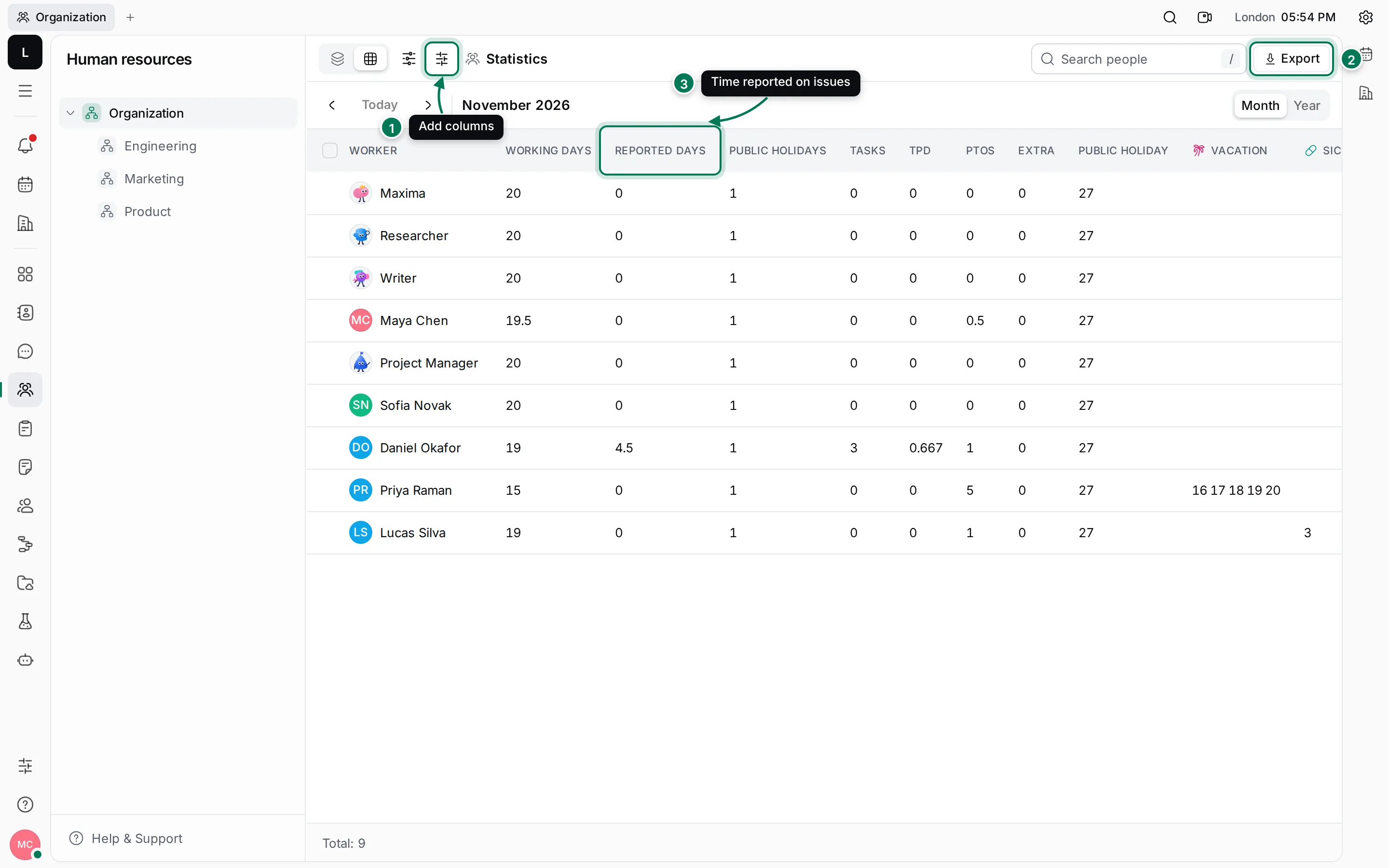
- Configure columns adds columns from people’s profiles.
- Export downloads the table.
- Reported days: the time reported on issues in the month.
The columns
Section titled “The columns”| Column | What it shows |
|---|---|
| Worker | The person |
| Working days | The month’s working days, minus public holidays, plus or minus their requests |
| Reported days | The total of the time reports they logged on issues in the Tracker this month |
| Public holidays | The number of public holidays in the month |
| Tasks | How many different issues they reported time on |
| TPD | Tasks per reported day |
| PTOs | Days off: vacation, sick days and paid time off |
| Extra | Extra days from overtime |
| Public holiday | The dates of the public holidays |
| One per type, such as Vacation | The dates of each kind of request |
Use ‹ and › to change month. The search field and the department tree work as on the schedule.
Add columns
Section titled “Add columns”- Click Configure columns (the sliders button).
- Switch on the profile details you want, such as Location, Department or Title.
- The columns appear after Worker, and they’re included when you export. Restore defaults removes them again.
Export the table
Section titled “Export the table”- Click Export at the top right.
- Pick a separator under Choose separator: , (csv), ; (csv) or Tab (tsv).
- Click Export. The file downloads with the rows and columns you see.
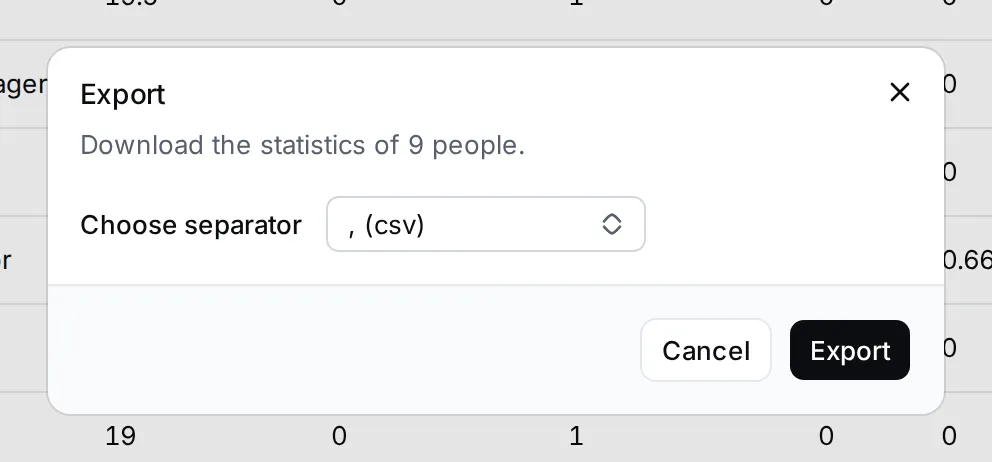
Pick ; (csv) if your spreadsheet uses commas in numbers.
Act on people
Section titled “Act on people”Right-click a person for Open, Message, Department, New related issue, Copy link and Kick employee. Tick several people’s checkboxes to move them to another department together, or to copy their links.