Contacts overview
Contacts is the address book of your workspace. It holds your colleagues, the guests you invited, and the people and companies outside the workspace that you work with: clients, partners and suppliers.
Open it from Contacts in the left rail.
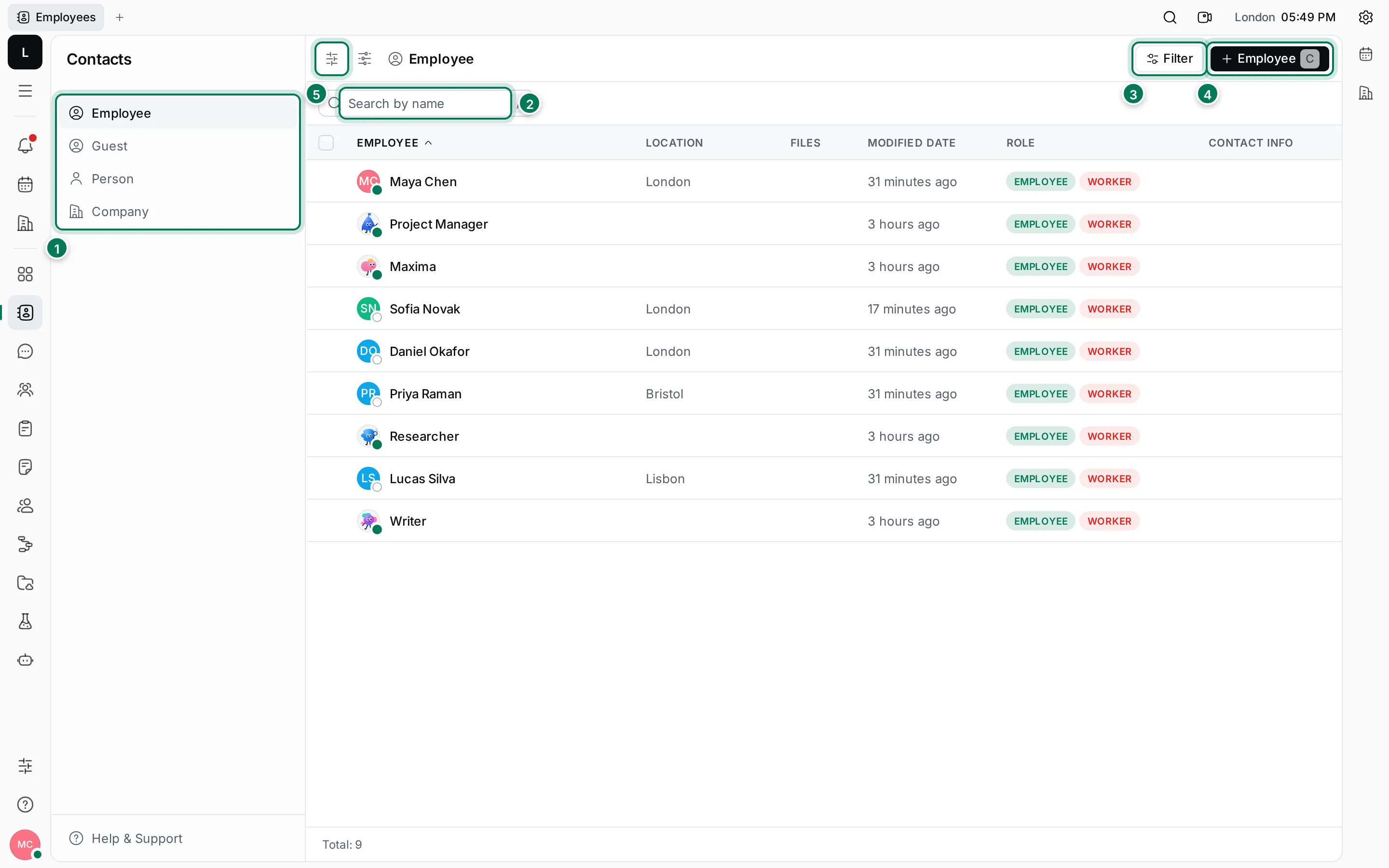
- Views: Employee, Guest, Person and Company.
- Search by name: press / to jump to it.
- Filter narrows the list by location, contact info, dates and more.
- + Employee invites a colleague. In the other views this button adds a guest, a person or a company. Press C to do the same.
- Customize view picks the columns of the table.
The four views
Section titled “The four views”- Employee: everyone who is a member of the workspace, including its AI Workers. The Role column shows EMPLOYEE, and WORKER for people who are in a department in Human resources.
- Guest: people you invited as guests. They can see only what’s shared with them.
- Person: people outside the workspace, such as your contact at a partner company.
- Company: the organizations you work with. A company page lists its people.
The table shows each contact’s Location, the number of Files attached, when it was last changed, its Role and its Contact info: one round icon per channel, such as phone, e-mail or LinkedIn. Total at the bottom counts the contacts in the view.
Click a row to open the contact.
What you can do
Section titled “What you can do”Add people and companiesCreate persons and companies, add their contact info and link people to companies.
Invite employees and guestsBring colleagues and guests into the workspace by e-mail.
Work with a contactEdit details, change the avatar colour, add contact info, comment and relate.
Find and organize contactsSearch, filter, sort, choose columns and act on several contacts.