Inbox overview
The Inbox collects what happens around you: someone mentions you, replies to your thread, writes to you directly, comments on an issue you follow or edits a document you work on. Instead of checking every project and channel, you work through one list.
Open it with Inbox (the bell) at the top of the left rail. A red dot on the bell means something is unread.
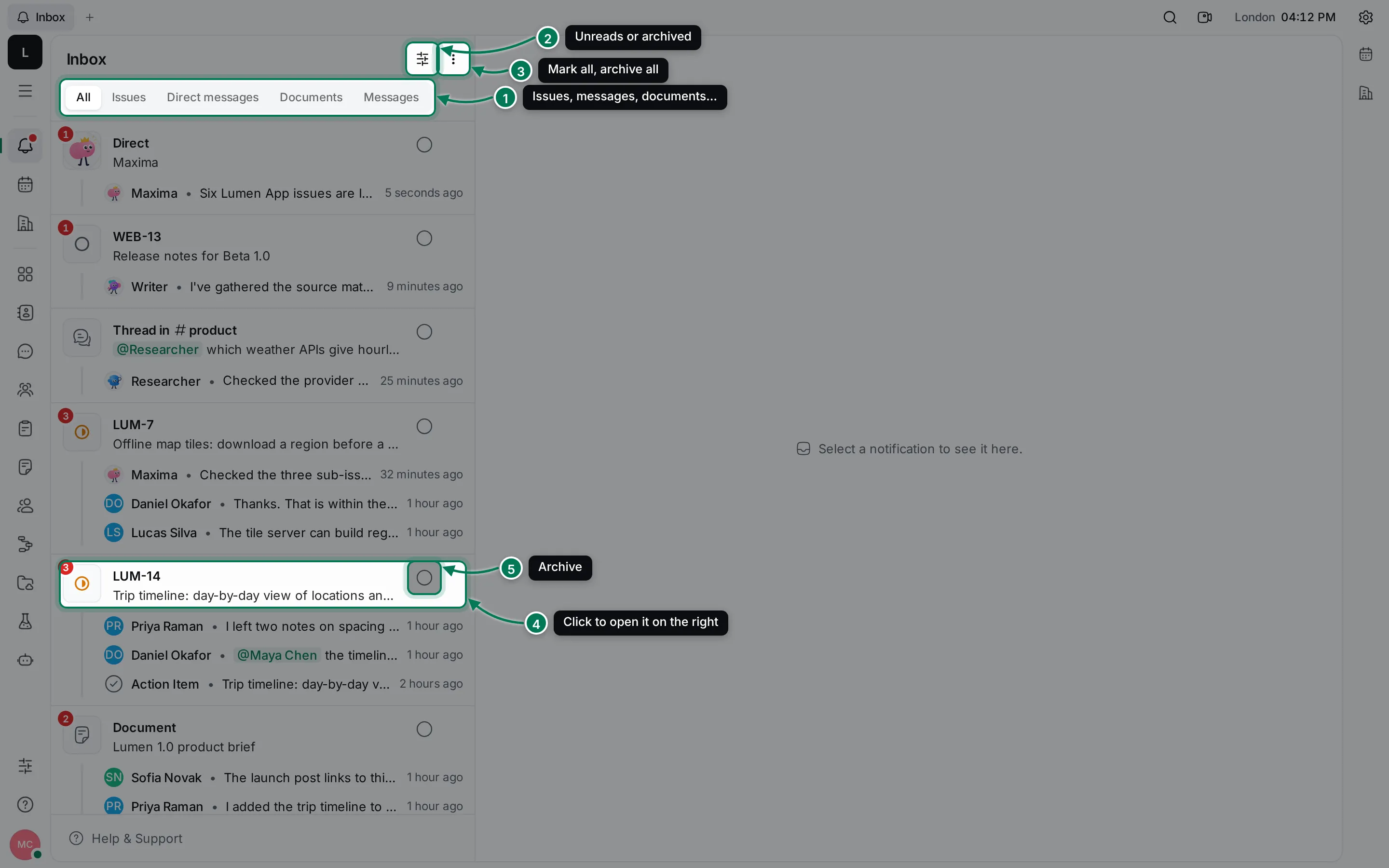
How the Inbox is organised
Section titled “How the Inbox is organised”- Tabs show one kind of notification: All, Issues, Direct messages, Documents and Messages (threads and channels). Persons and Meetings appear when you have notifications about them.
- Filter shows only unread notifications (Unreads) or only archived ones (Archived).
- More actions marks everything read or unread, or archives everything.
- Each card is one issue, document or conversation. Its title says what it’s about, and up to three lines underneath show the latest news: who did what, and when. A red number on its tile counts unread notifications.
- The round Archive button clears a card from your inbox.
Click a card to open it on the right. You can read, reply and change things without leaving the Inbox.
What you get notified about
Section titled “What you get notified about”You get notifications for things you follow. You follow an issue when you create it, are assigned to it or comment on it; a document when you create or edit it; a conversation when you’re in it. Mentions always reach you. Choose what notifies you, and how, in notification settings.
In this section
Section titled “In this section”Read and replyOpen issues, documents and conversations from the Inbox and answer in place.
Filter, mark and archiveTabs, unread and archived views, and keeping your inbox short.
Compact inboxA narrow list you can keep open while you work.
Choose what notifies youChoose what reaches your inbox, and by push, sound or email.