The Agenda
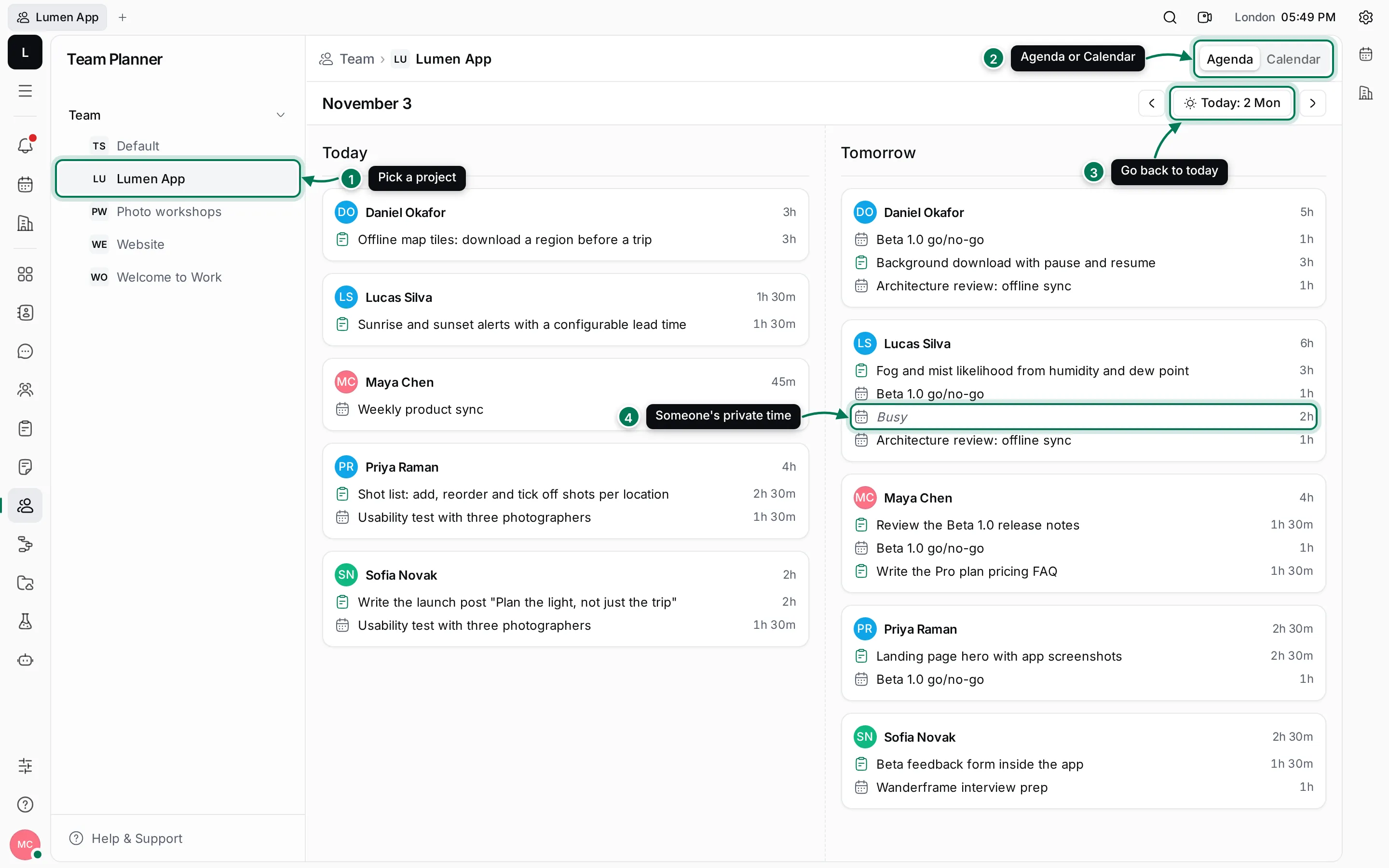
The Agenda lists what each member of a project has planned, as a card per person. It shows two days side by side: the day before the selected day, and the selected day. The days are called Yesterday, Today and Tomorrow when they are, and by their date otherwise.
Read a card
Section titled “Read a card”Each card shows:
- The person’s name and the total time they have planned that day, at the top right.
- Each time slot, with the action item icon, its title and its length. These are the slots people set aside in their Planner.
- Each event, with the calendar icon, its title and its length.
- Busy for items the person shares as FreeBusy, so you see the time but not the title.
People with nothing planned on a day don’t get a card. If no one has anything planned, the column says Nobody has anything planned.
All-day events count towards the day and show as All day with their length.
Look at another day
Section titled “Look at another day”- Click › to move the Agenda forward a day, or ‹ to move it back.
- The title above the columns shows the selected day, such as November 3.
- Click Today to come back. It’s greyed out when you’re already on today.
The address of the page keeps the project, the view and the date, so you can copy it and send it to someone.
Switch projects
Section titled “Switch projects”Click another project in the navigator. The Agenda keeps the date you picked, so you can compare teams on the same day. Press Ctrl K and type Team: to jump to a project’s planner from anywhere.
See also the day and week calendar, which lays the same plans out on a timeline.