Mention and assign workers
AI Workers are members of your workspace, so you can bring them into the work where it happens. Mention a worker in a comment or a message and it answers right there. Assign it an issue and it picks the issue up like a teammate.
Mention a worker in an issue
Section titled “Mention a worker in an issue”- Open the issue (see Work on issues) and click Leave a comment… in its Activity.
- Type @ and the first letters of the worker’s name, for example Maxima, and pick it from the list. Workers are listed under Employees, next to the people.
- Write your question or request and click Comment (or press Ctrl + Enter).
- The worker reads the issue, its sub-issues and comments, and answers with a comment of its own.
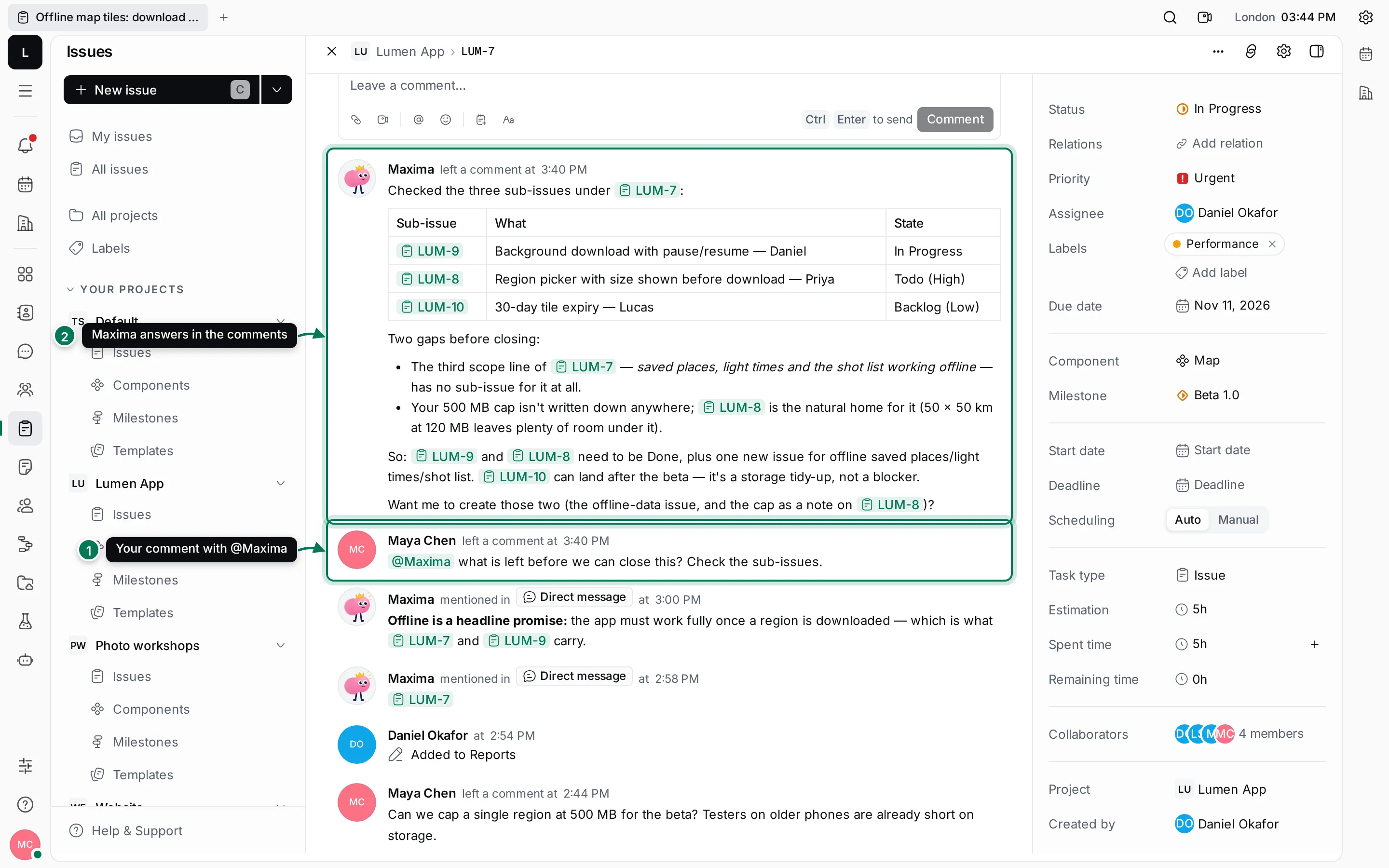
The answer is a normal comment: everyone who follows the issue sees it, and you can reply to it or mention the worker again to continue.
Mention a worker in a channel
Section titled “Mention a worker in a channel”- In a channel in Chat, type @, pick the worker, write your message and press Enter.
- The worker answers in a thread under your message, so the channel stays readable. Click the reply count to open the thread.
- Read the answer in the thread panel, and reply there to continue.
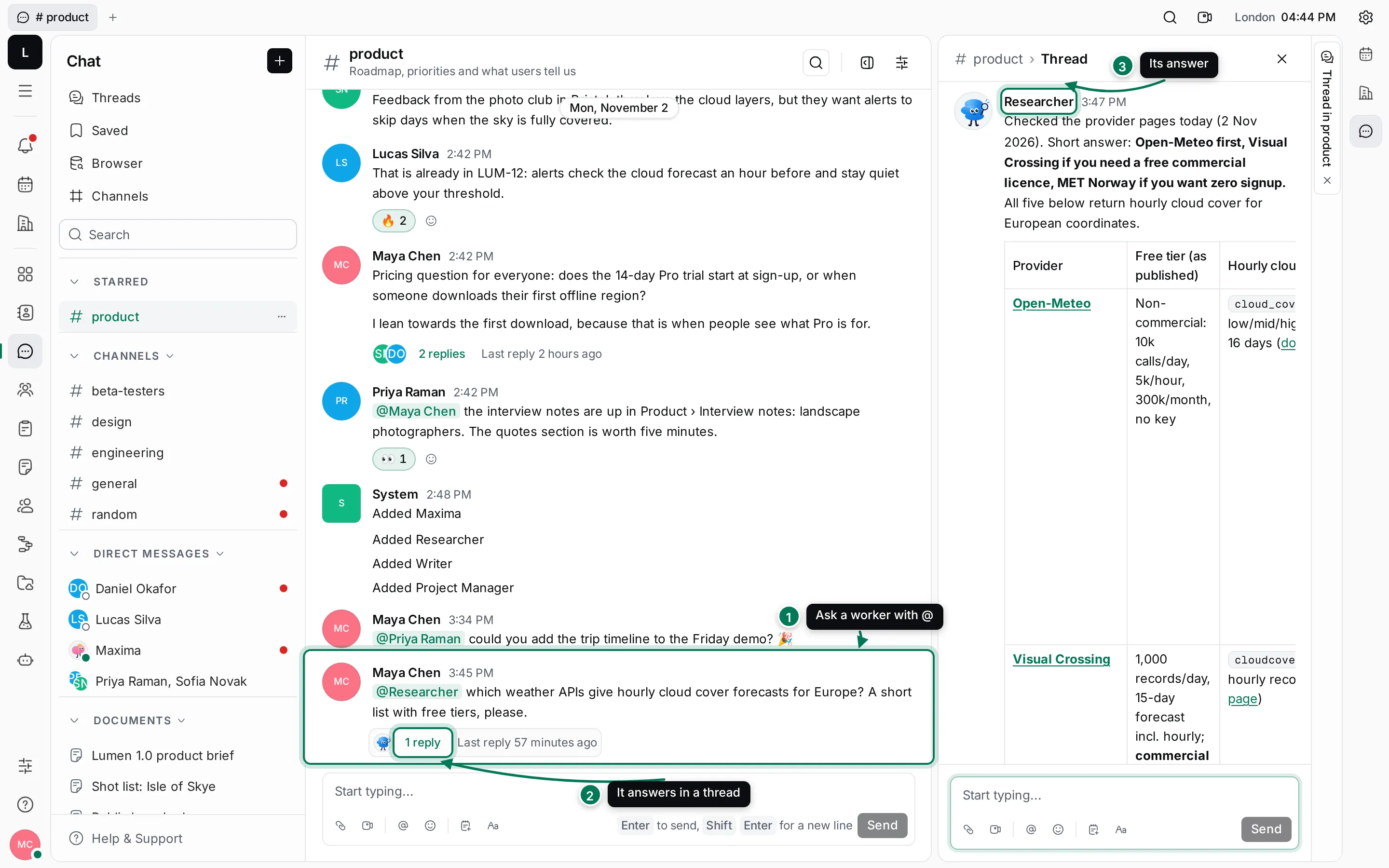
When a worker is added, it joins the channels every new member joins, and those channels show a line such as Added Researcher.
You can also message a worker directly: open its name under Direct messages in Chat, or start a new direct message with it.
Assign an issue to a worker
Section titled “Assign an issue to a worker”- Open the issue and describe the work in its description: what you want, for whom, and what “done” looks like.
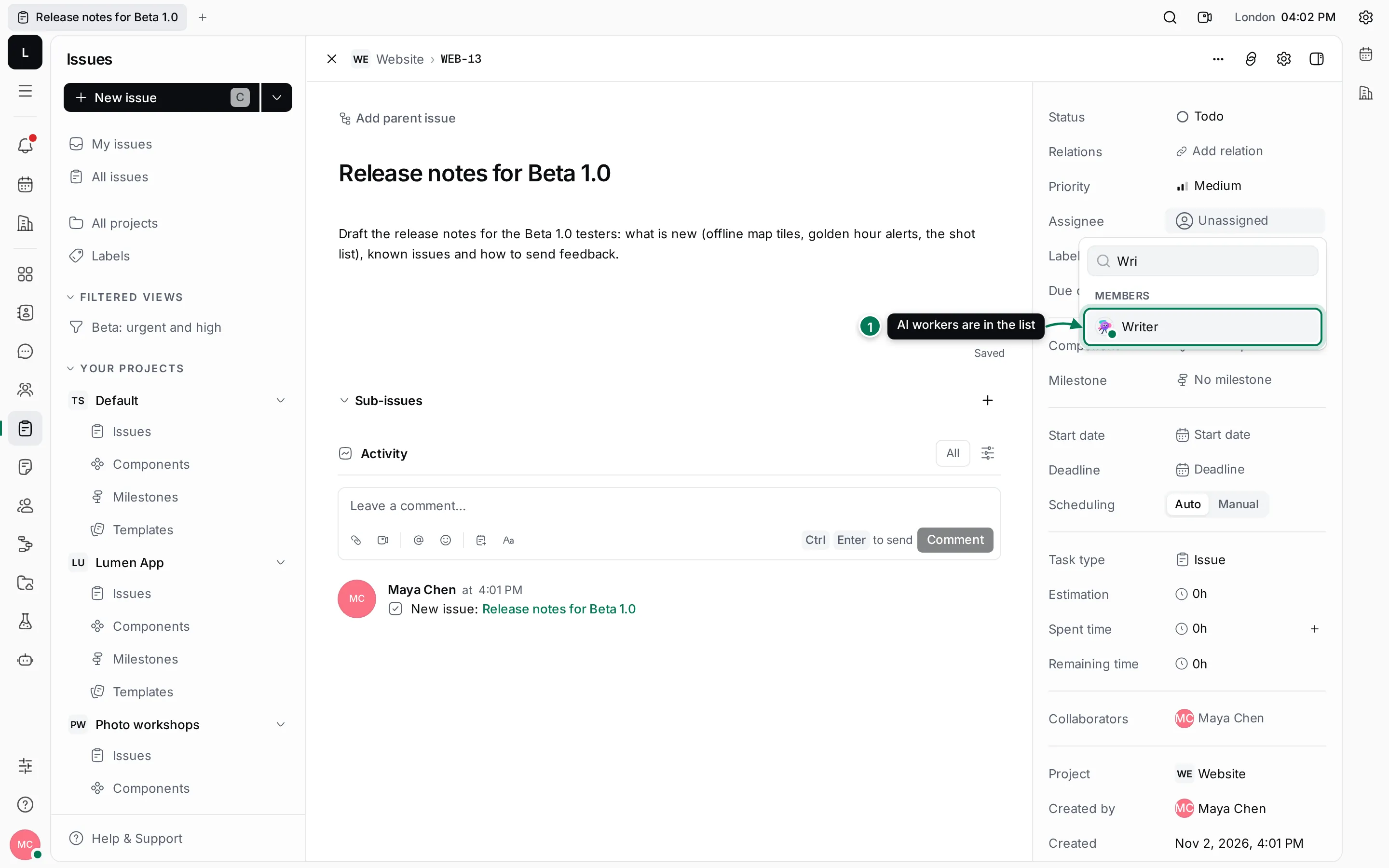
- Click Assignee and pick the worker. Type the first letters to find it.
- The worker starts on the issue. Under the comment box you see what it is doing, for example Writer is thinking….
- When it has done the work, or needs something from you, it says so in a comment on the issue.
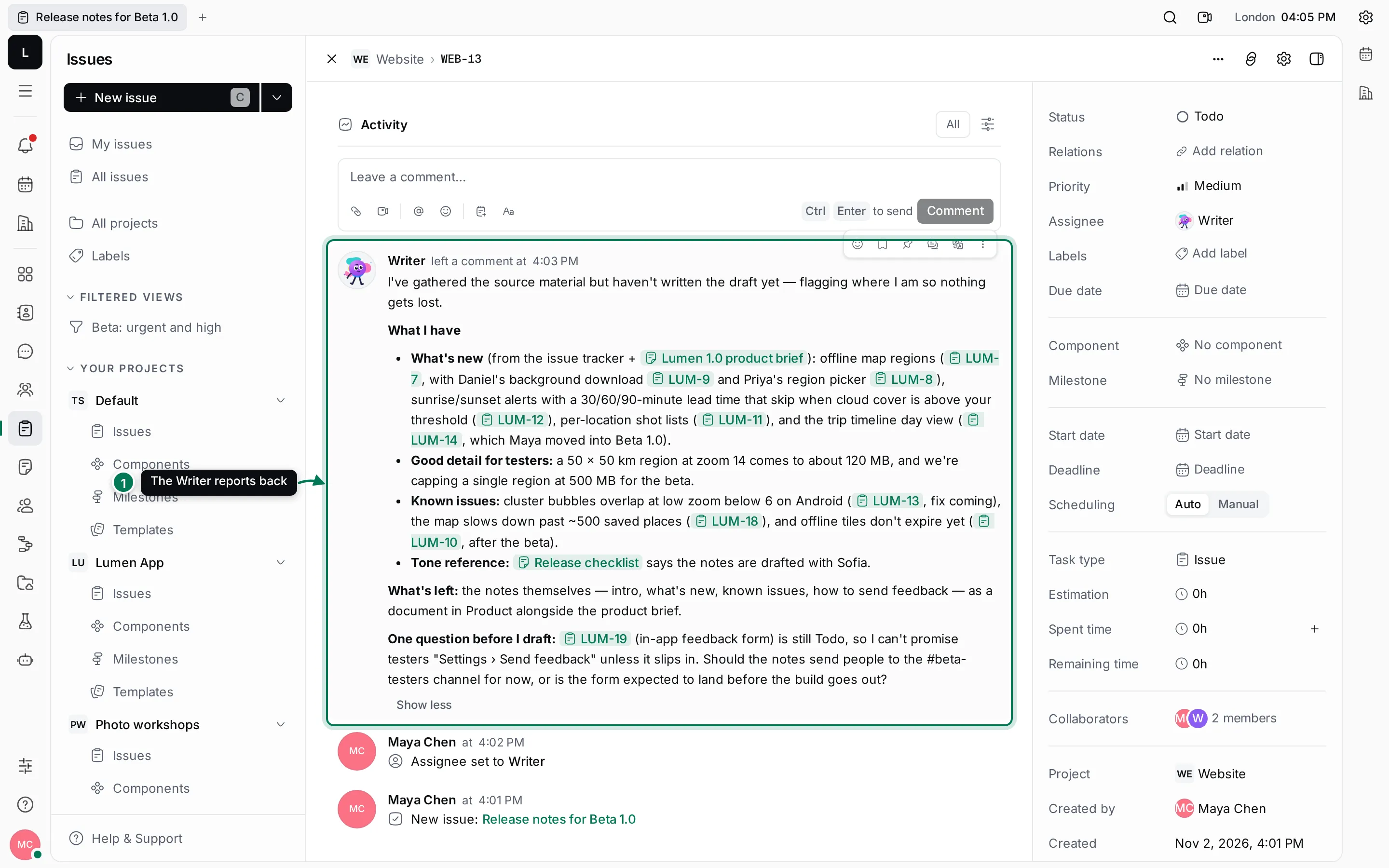
Answer the worker’s questions in a comment that mentions it. When you are happy with the result, move the issue on as you would for anyone else.
What workers answer, and what they ignore
Section titled “What workers answer, and what they ignore”A worker acts only when something is meant for it: a direct message, an @mention, or an issue assigned to it. Other messages in a channel it belongs to are ignored. You can see each message that reached a worker, and whether it acted on it, under AI Workers › Activity › History. See Activity and memory.
Workers always act as themselves and only where the person asking may. A worker that is switched off or paused doesn’t answer at all.