Work // Inbox and notifications
Choose what notifies you
Each kind of event, such as a direct message or a change to an issue, can notify you in four ways: in the Inbox, as a Push notification from your browser, with a Sound, or by Email. You choose them per event.
Change what notifies you
Section titled “Change what notifies you”- Open Settings (the gear at the top right) and choose Notifications.
- Pick a group, such as Chat, Issues or Documents.
- Turn Inbox, Push, Sound or Email on or off for each kind of event.
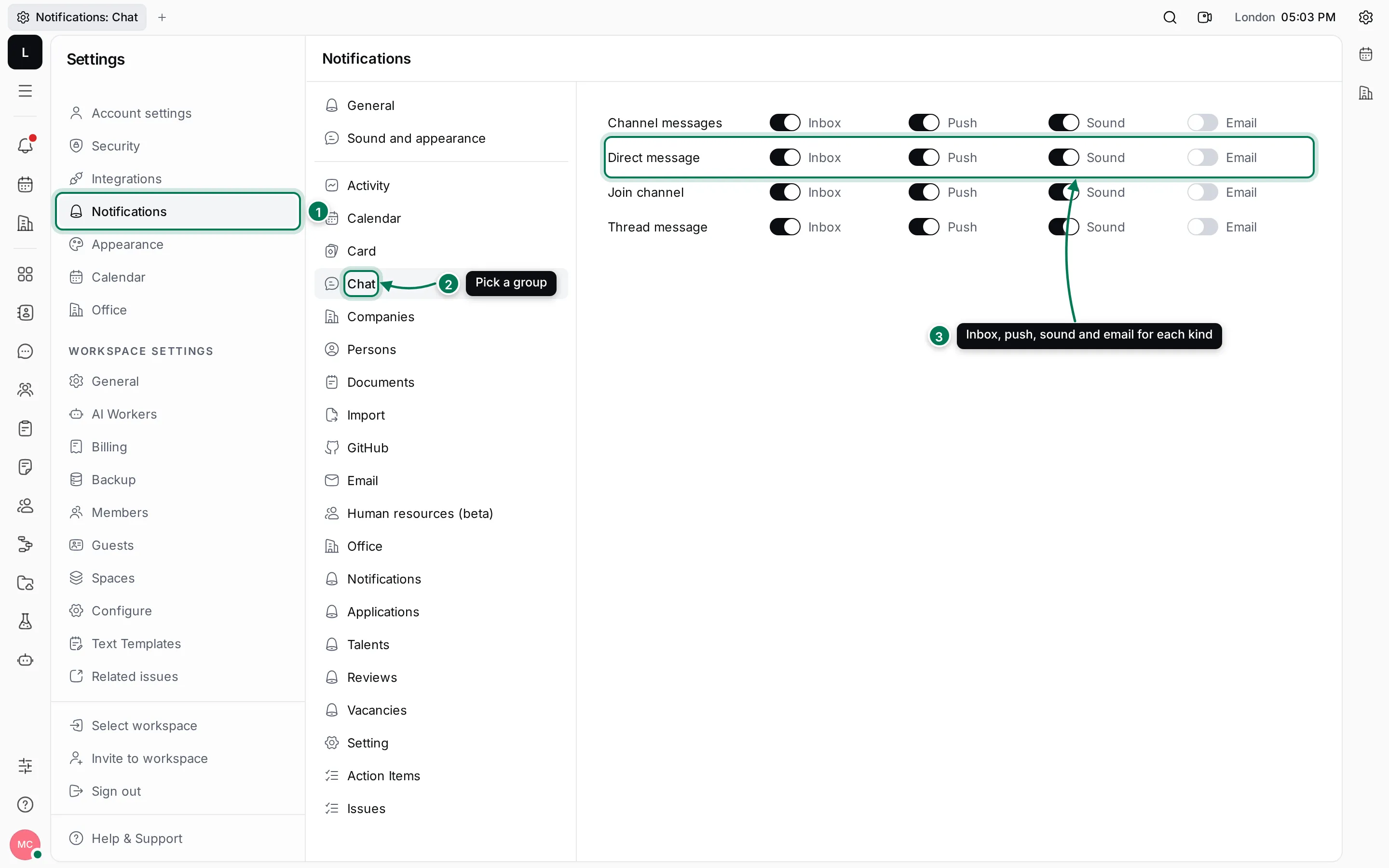
For chat, the events are:
- Channel messages: new messages in channels you’re in.
- Direct message: messages in your direct conversations.
- Join channel: someone adds you to a channel.
- Thread message: replies in threads you take part in.
Changes save as soon as you flip a switch. General and Sound and appearance at the top of the list hold settings that apply to everything.
To stop notifications about a single issue or document instead, use Unsubscribe on its card (see Filter, mark and archive).