Planner overview
The Planner is your personal plan. It lists your action items: the things you need to do, including the issues assigned to you. It also shows your schedule, so you can block time for each item next to your meetings.
Open it from Planner in the left rail. The page has three parts: the navigator, your list of action items, and your schedule.
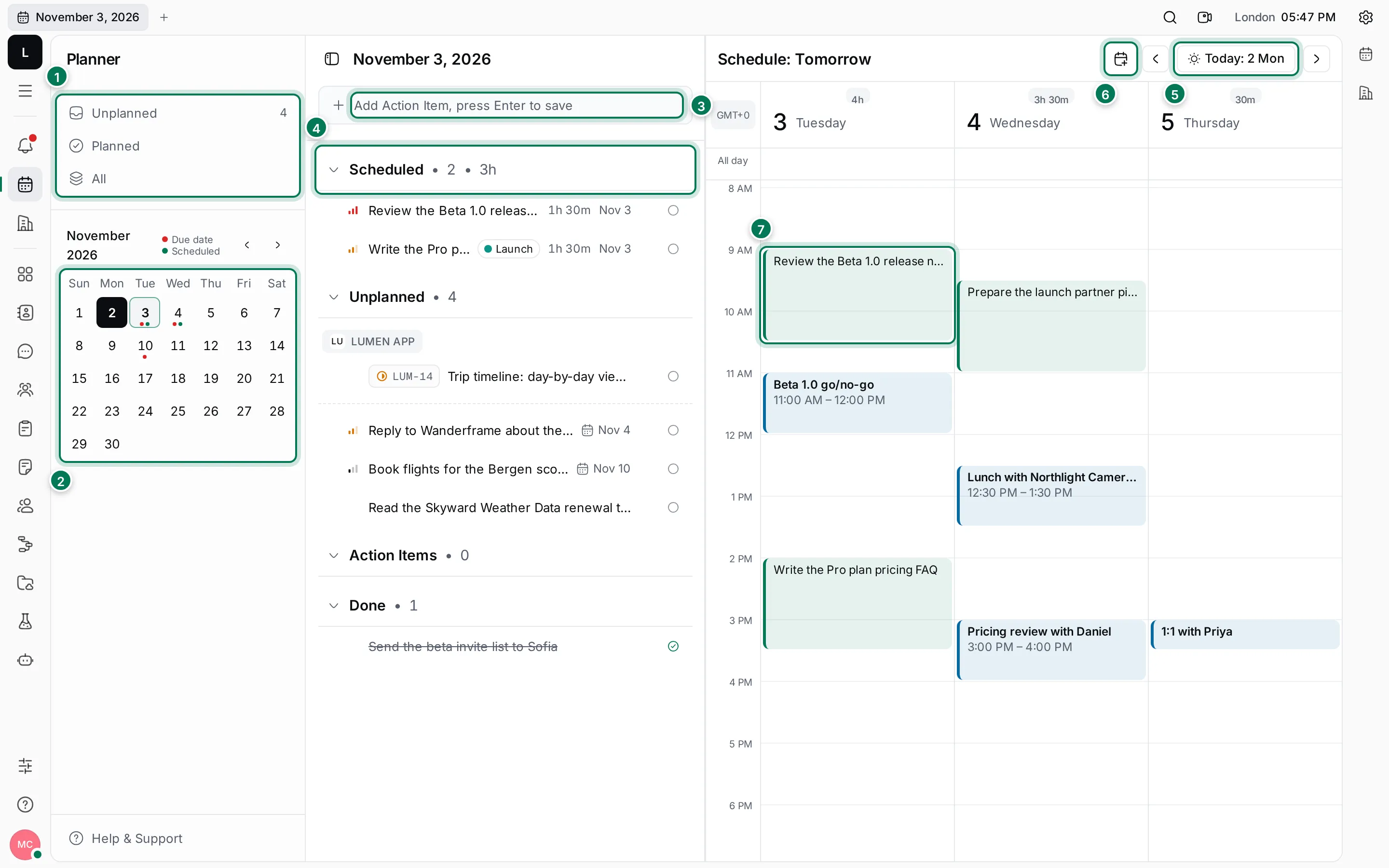
- Views: Unplanned shows the open action items that have no time on the schedule. Planned shows the ones that do, and All shows everything, including what’s done.
- Month calendar: click a day to see what is planned for it. A red dot marks a due date, a green dot a scheduled slot.
- Add Action Item: type a title and press Enter.
- The list, grouped into Scheduled, Unplanned, Action Items and Done. Click a group’s name to fold it.
- Schedule controls: move a day back or forward, or jump back to today.
- New event adds a meeting or other event to your calendar.
- A time slot: time you set aside for an action item. Events show in blue, slots in green.
How it fits together
Section titled “How it fits together”An action item is a task with a title, an optional description, a priority, labels and a due date. You can write your own, and each issue assigned to you shows up as one too, with the issue’s ID in front of its title.
When you know when you’ll work on something, give it one or more time slots. A slot sits on your schedule like a meeting. Your teammates see it in the Team planner, unless you keep it private.
Events are meetings, calls and other appointments. They have a time zone, participants, a location and reminders.