Review and approval
Before a controlled document takes effect, other people check it. A review asks colleagues to read the draft and confirm it’s right. An approval asks the people who sign off on it. Every reviewer has to complete their review, and every approver has to approve; a single rejection sends the document back.
The usual order is review first, then approval, but you can send a draft straight for approval.
Send a draft for review
Section titled “Send a draft for review”- Open the draft and click Send for review.
- Check the Reviewers. The document’s reviewers are filled in; add or remove people.
- Click Send for review.
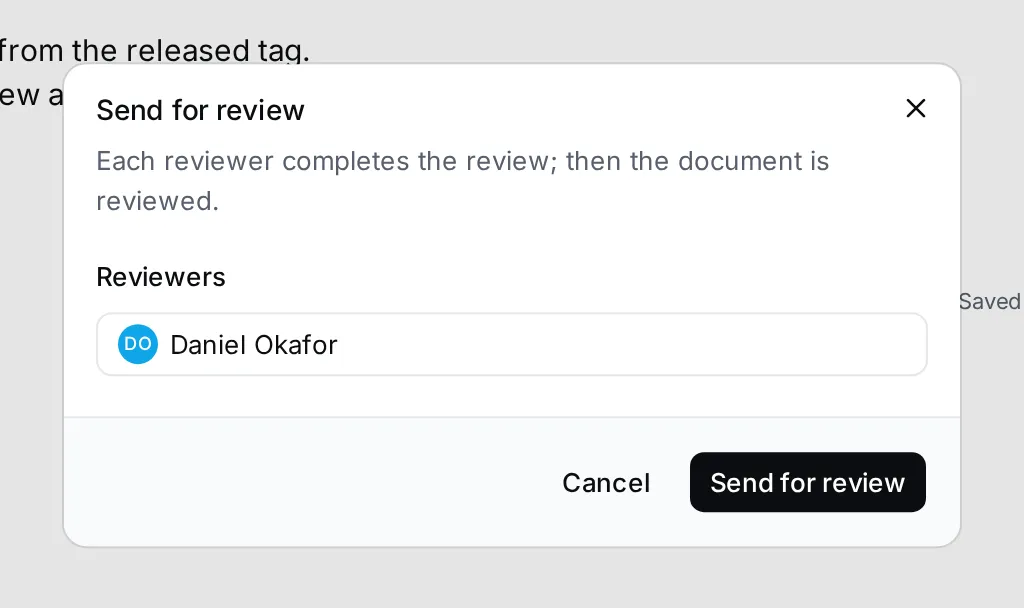
The status becomes In review, and the draft is read-only. When every reviewer has completed their review, the status becomes Reviewed.
Review a document
Section titled “Review a document”When you’re asked to review, open the document. Complete review is at the top.
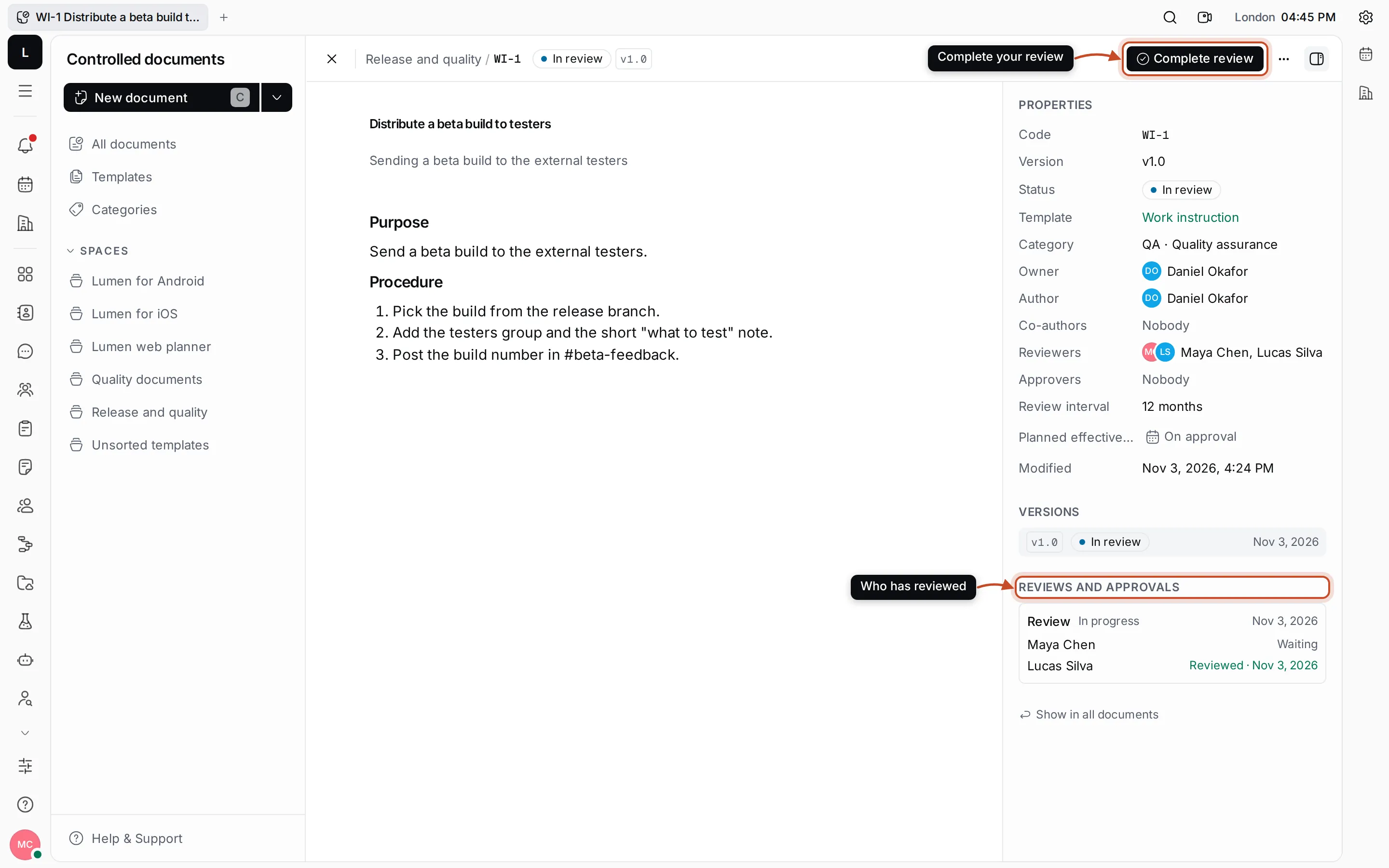
Read the document, then click Complete review. Under Reviews and approvals, each request lists its people with Waiting, Reviewed or Approved and the date, so you can see who still has to act.
Send for approval
Section titled “Send for approval”- Open a draft, or a document that is Reviewed, and click Send for approval.
- Check the Approvers and click Send for approval.
The status becomes In approval.
Approve or reject
Section titled “Approve or reject”When you’re asked to approve, Approve and Reject are at the top of the document.
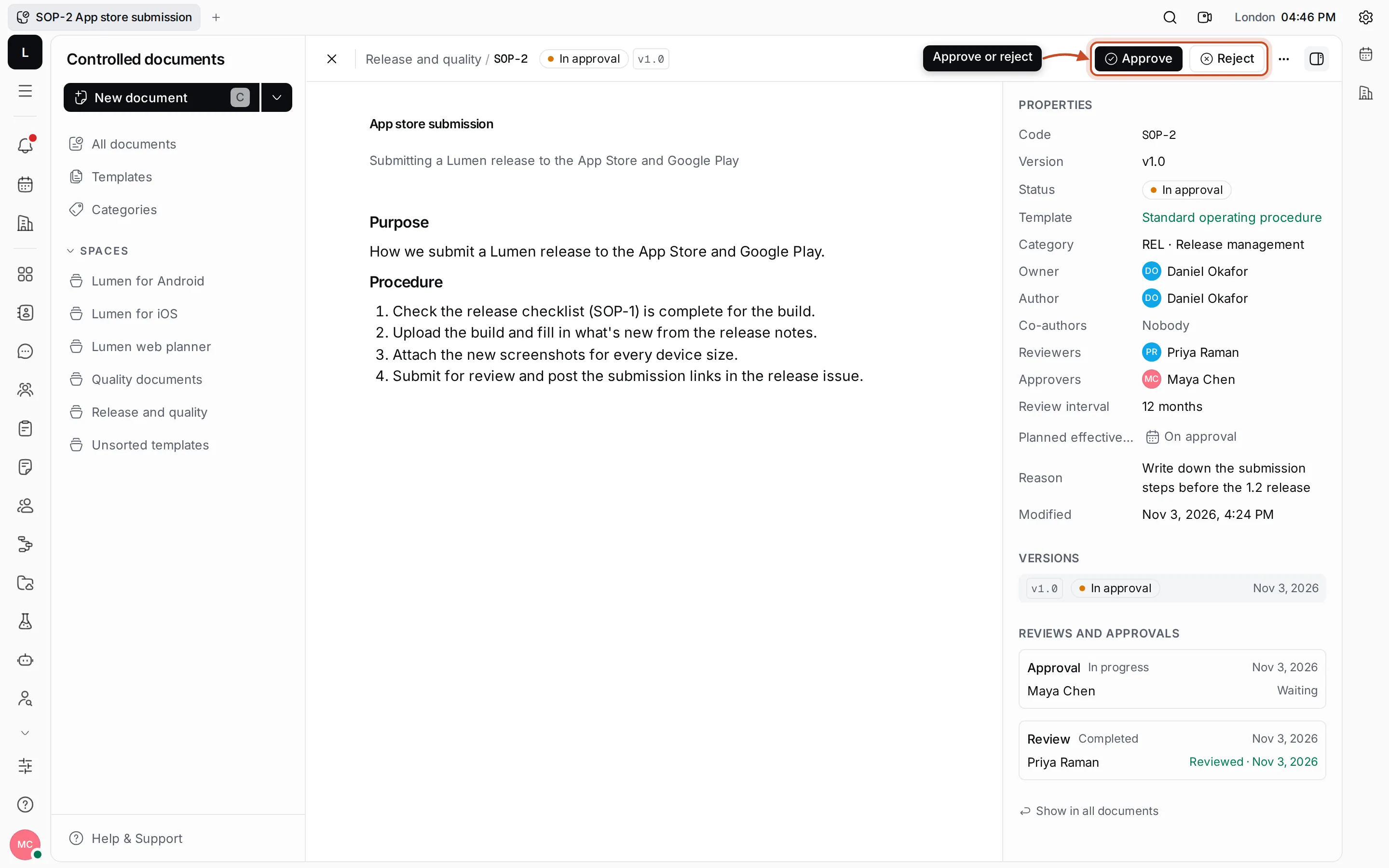
- Approve signs off on the document. When every approver has approved, the document becomes Effective at once, or Approved until its Planned effective date.
- Reject sends the document back to its owner as Rejected. You’re asked to confirm first.
After a review or rejection
Section titled “After a review or rejection”- Edit document takes a Reviewed or Rejected draft back to editing, so its content can change again. Then send it for review or approval once more.
- Cancel review or Cancel approval withdraws a request that’s still in progress, and the draft can be edited again.
Once a document is effective, change it with a new version.