Polls and results
Each time someone answers a survey, it is a poll: one set of answers about one talent, application or vacancy. You make polls on recruiting pages. The survey’s page lists them and adds up their answers.
The polls of a survey
Section titled “The polls of a survey”Open the survey and click Polls.
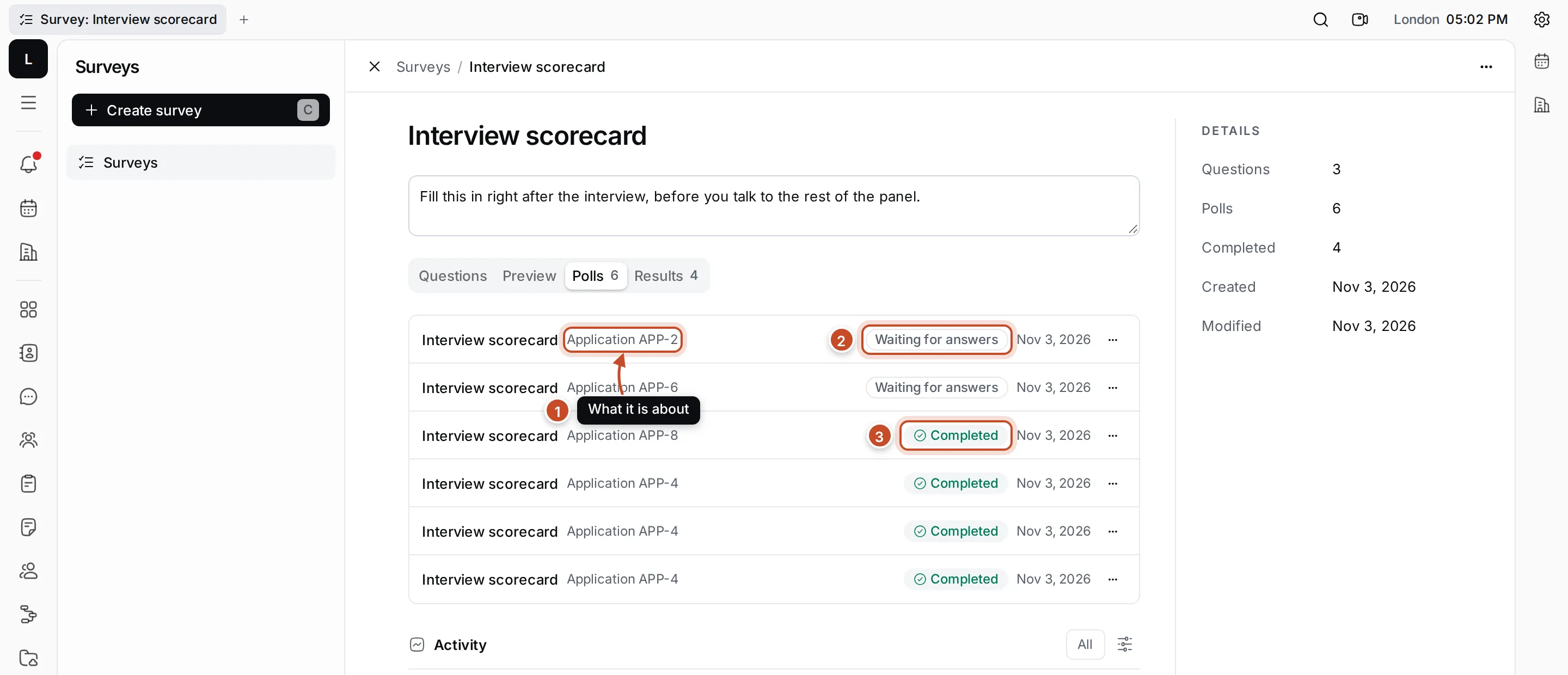
- What it is about: the application, talent or vacancy the poll was made on.
- Waiting for answers: the poll hasn’t been submitted yet.
- Completed: the answers are submitted.
Each poll also shows when it was made. Click a poll to open it. Its ⋯ menu has Open, Open in new tab, Copy link and Delete poll.
If a survey has no polls yet, make one from a talent, application or vacancy in Recruiting.
Answer a poll
Section titled “Answer a poll”- Open the poll from its survey, or from the Polls section of the talent, application or vacancy.
- Answer each question. Answers are saved as you go.
- Click Submit, or press Ctrl Enter, and confirm.
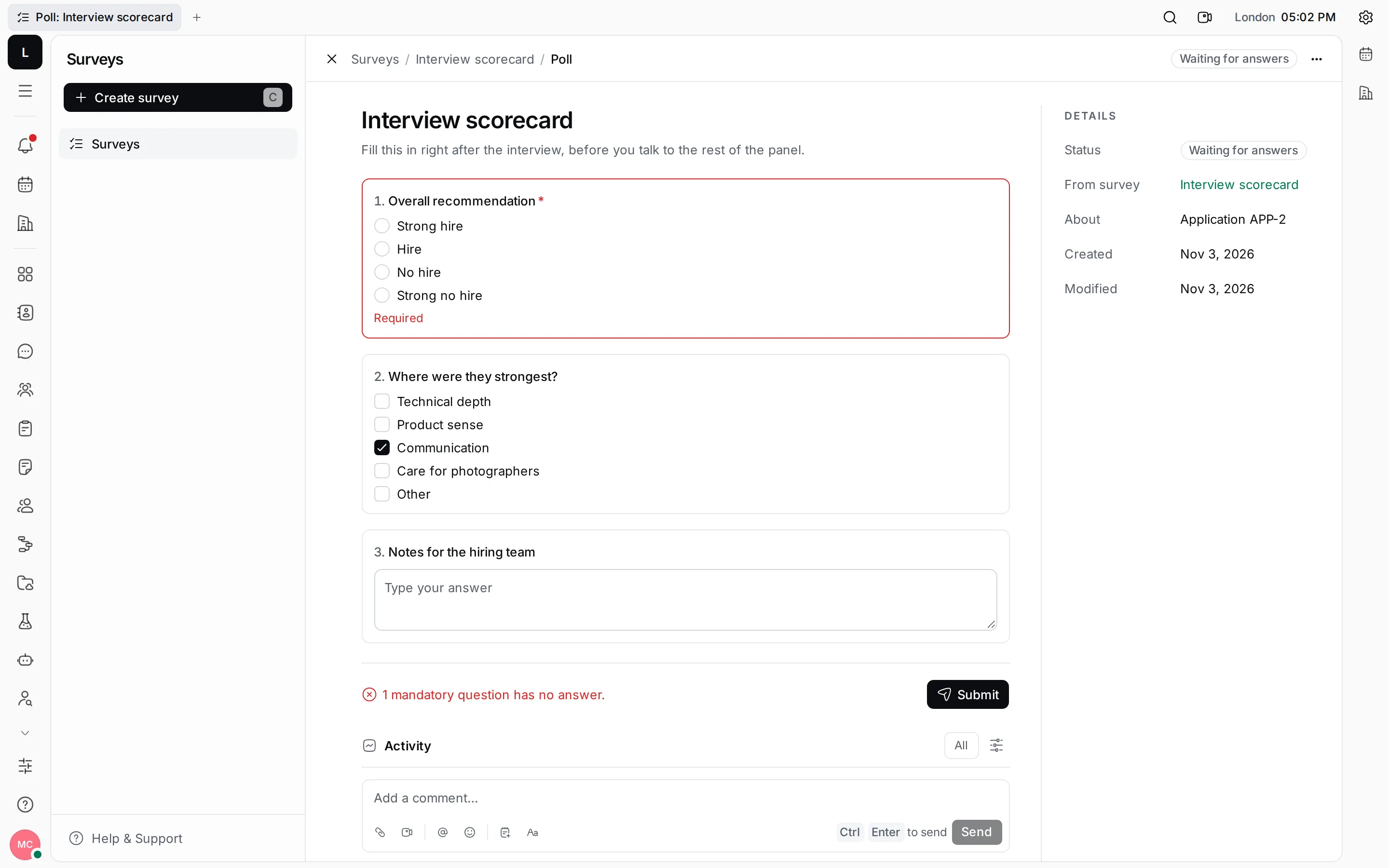
Questions marked * are mandatory. If one has no answer, the poll isn’t submitted: it tells you how many are missing and outlines them.
A submitted poll is read-only.
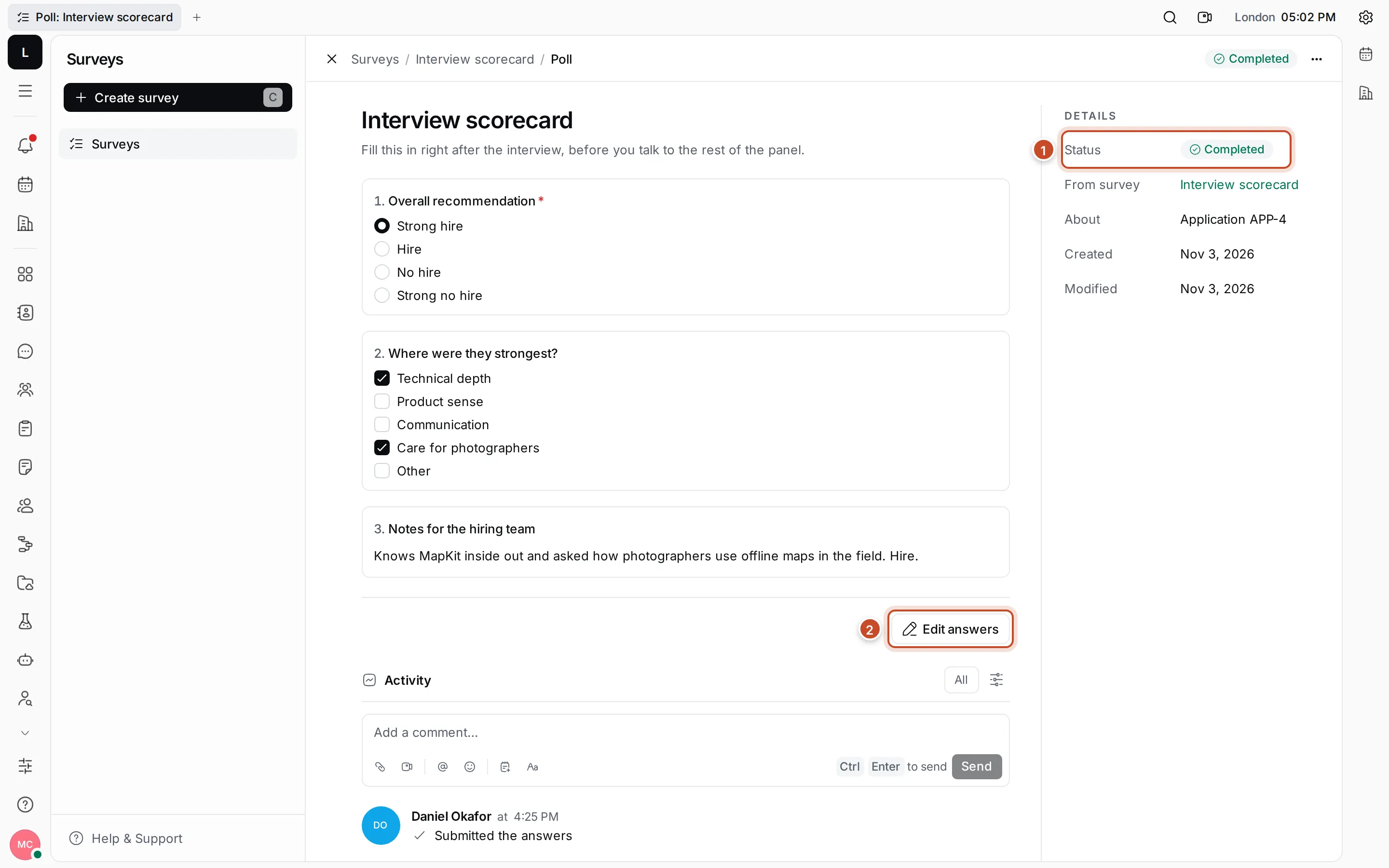
- Status: Completed, with the survey it came from, what it is about, and when it was made and changed.
- Edit answers: open the poll for changes again. Submit it again when you’re done.
The poll’s activity shows who submitted or changed the answers, and you can comment there.
Results
Section titled “Results”Results on the survey’s page adds up the answers of all submitted polls. Polls still waiting for answers don’t count.
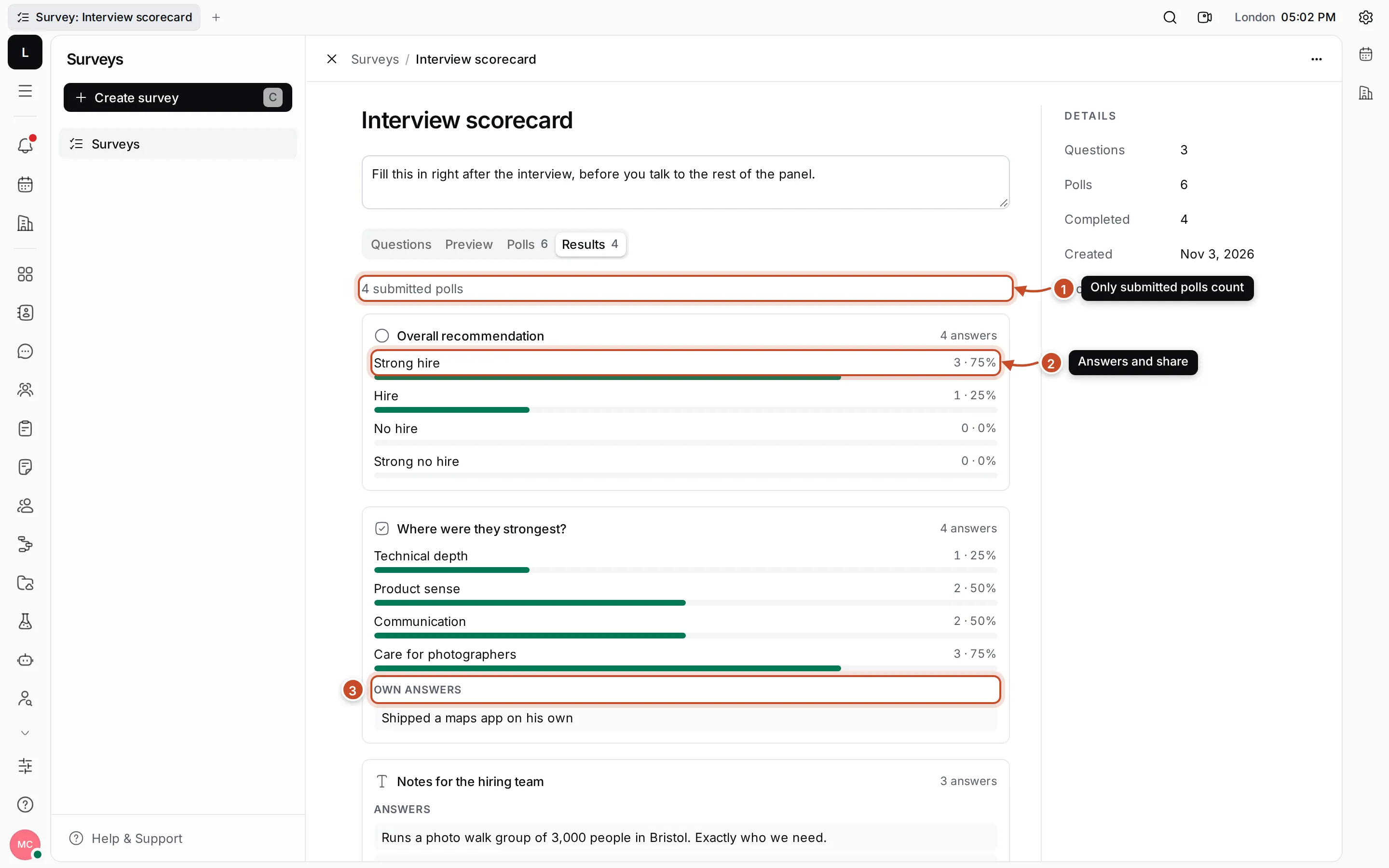
- How many polls count: the number of submitted polls.
- Choice questions: for each option, a bar with how many people chose it and their share.
- Text and own answers: the answers people typed, one under another.