Work // Surveys
Surveys overview
A survey is a form of questions you want answered the same way every time, such as an interview scorecard, a phone screen or a kick-off checklist for a new vacancy. You write the survey once. Each time someone answers it, they make a poll from it on a recruiting page: a talent, an application or a vacancy. The survey then adds up the answers of all its polls.
Open it from Surveys in the left rail.
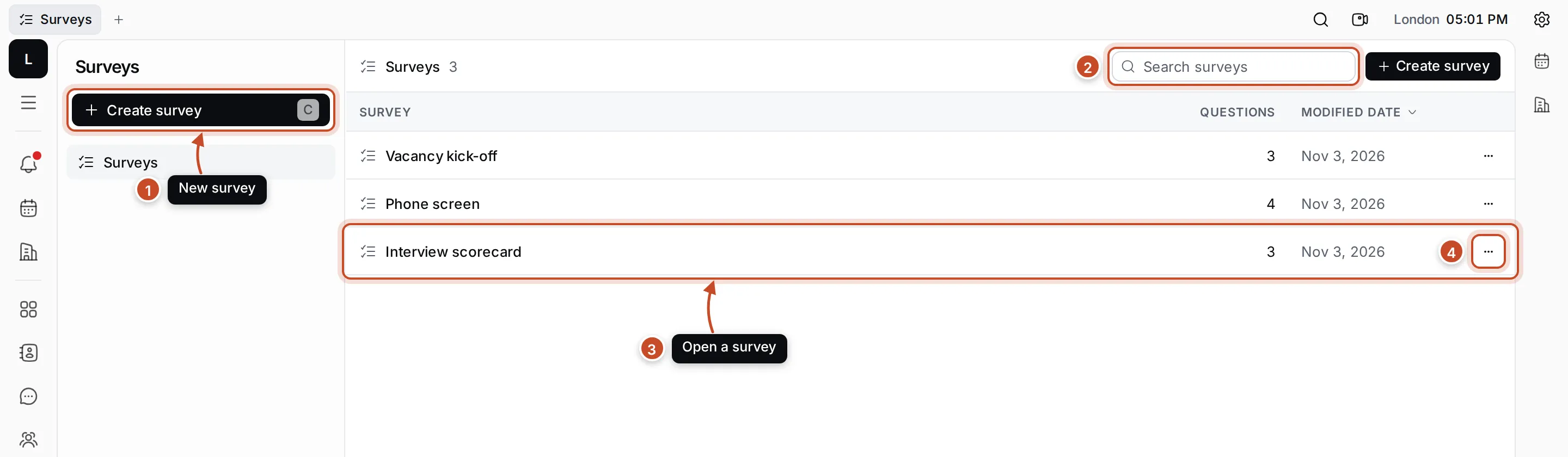
- Create survey: write a new survey. Press C to do the same.
- Search surveys: find a survey by name. Press / to jump to it.
- A survey: click it to edit its questions and see its polls and results. The list shows how many questions each survey has and when it last changed. Click a column’s name to sort by it.
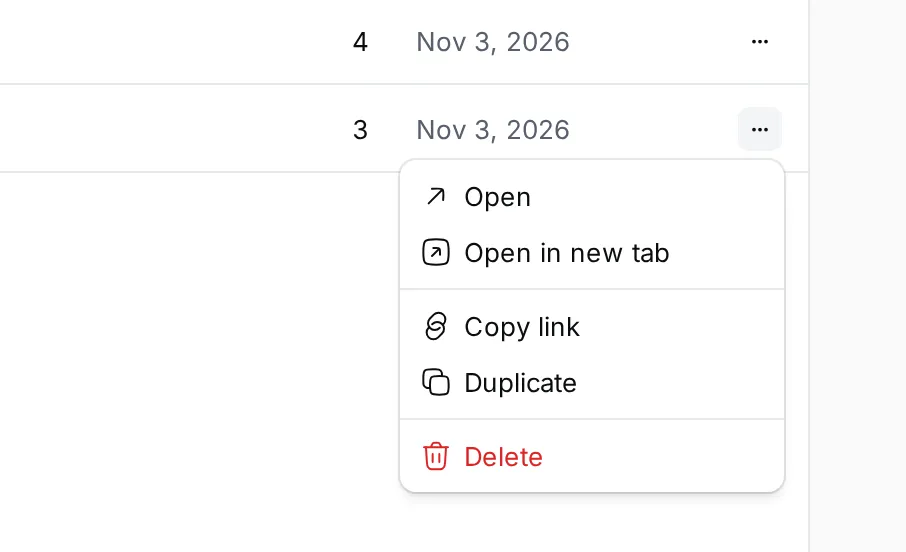
- ⋯: Open, Open in new tab, Copy link, Duplicate and Delete. Right-click a row for the same menu.
Surveys and polls
Section titled “Surveys and polls”| What it is | Where you find it | |
|---|---|---|
| Survey | The form: a name, a short prompt and the questions | Surveys in the rail |
| Poll | One set of answers to a survey, about one talent, application or vacancy | The Polls section of that page, and the survey’s Polls view |
A poll keeps its own copy of the questions. If you change a survey later, polls already made keep the questions they were answered with.
What you can do
Section titled “What you can do”Create a surveyWrite the questions, choose answer types and preview the form.
Polls and resultsAnswer a survey, see its polls and the totals of their answers.
Answer surveys with pollsMake a poll on a talent, an application or a vacancy in Recruiting.