Work // Recruiting
Recruiting overview
Recruiting is where your team hires. You open a vacancy for each position, add the people who could fill it as talents, and follow each application from the first call to the offer. Interviews are reviews, where everyone who took part leaves their opinion.
Open it from Recruiting in the left rail. It opens on your vacancies.
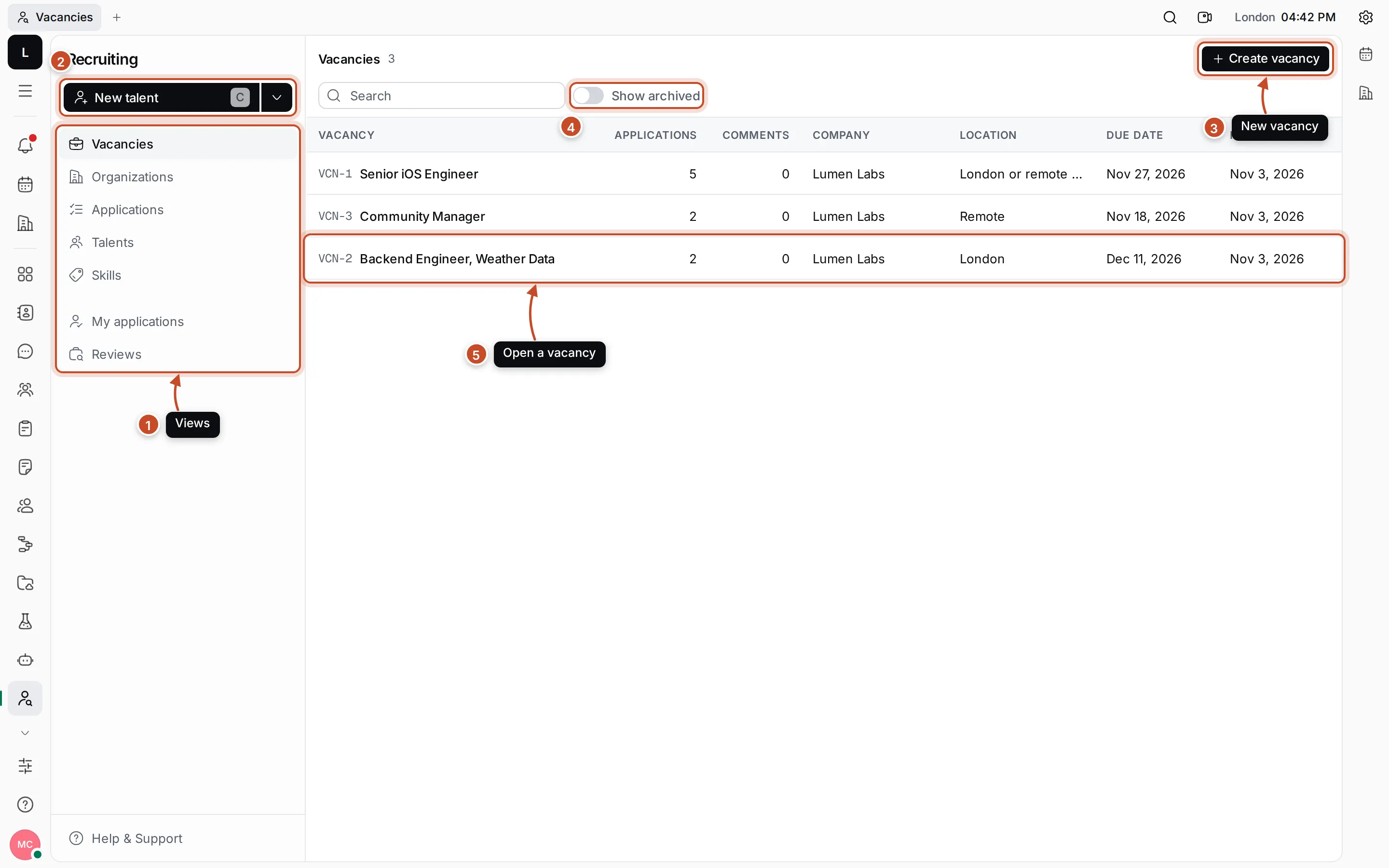
- Views: the lists Recruiting has. Vacancies, Organizations, Applications, Talents and Skills show everything; My applications shows the applications you are the recruiter of, and Reviews lists the interviews.
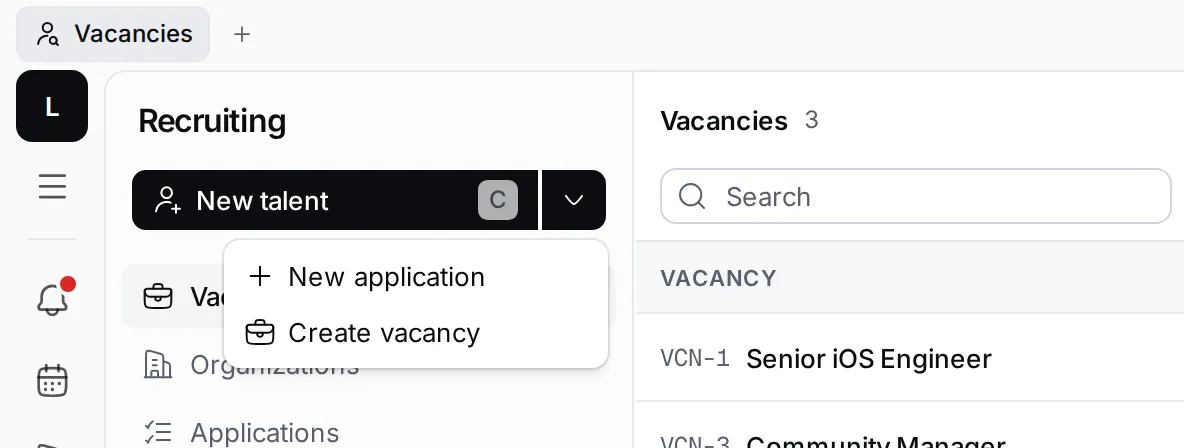
- New talent: add a person you might hire. Press C anywhere in Recruiting to do the same. The arrow next to it holds New application and Create vacancy.
- Create vacancy: open a new position.
- Show archived: vacancies you’ve closed are hidden until you switch this on.
- A vacancy: click it to see its description and applications. The table shows how many applications and comments it has, its company, location and due date, and when an application to it last changed.
How the parts fit together
Section titled “How the parts fit together”| Part | What it is | Its number |
|---|---|---|
| Vacancy | A position you hire for, such as Senior iOS Engineer | VCN-1, VCN-2… |
| Talent | A person who could fill a vacancy, with their title, location, source and skills | |
| Application | One talent applying to one vacancy. It moves through your hiring stages | APP-1, APP-2… |
| Review | An interview or another meeting about a talent, with the opinions of the people who took part | RVE-1, RVE-2… |
| Organization | The company a vacancy belongs to | |
| Skill | A tag on talents, such as Swift or Go, grouped by category |
A talent can apply to several vacancies, so one person can have several applications. Talents are people in your contacts, so their email and phone are kept in one place.
You can also answer a survey about a talent, an application or a vacancy, such as an interview scorecard. See Answer surveys with polls.
What you can do
Section titled “What you can do”VacanciesOpen a position, describe it, archive it when it's filled.
Talents and skillsAdd the people you might hire and tag them with skills.
Applications and the pipelineApply talents to vacancies and move them from stage to stage.
Interviews and reviewsSchedule interviews and collect everyone's opinion.
Answer surveys with pollsFill in scorecards and phone screens on recruiting pages.