Work // Inventory
Variants and SKUs
A variant is one version of a product: a size, a colour, a storage option, or a single unit you want to track on its own. Each variant has a name and an optional SKU (stock keeping unit), the code you use for it on labels and in other systems.
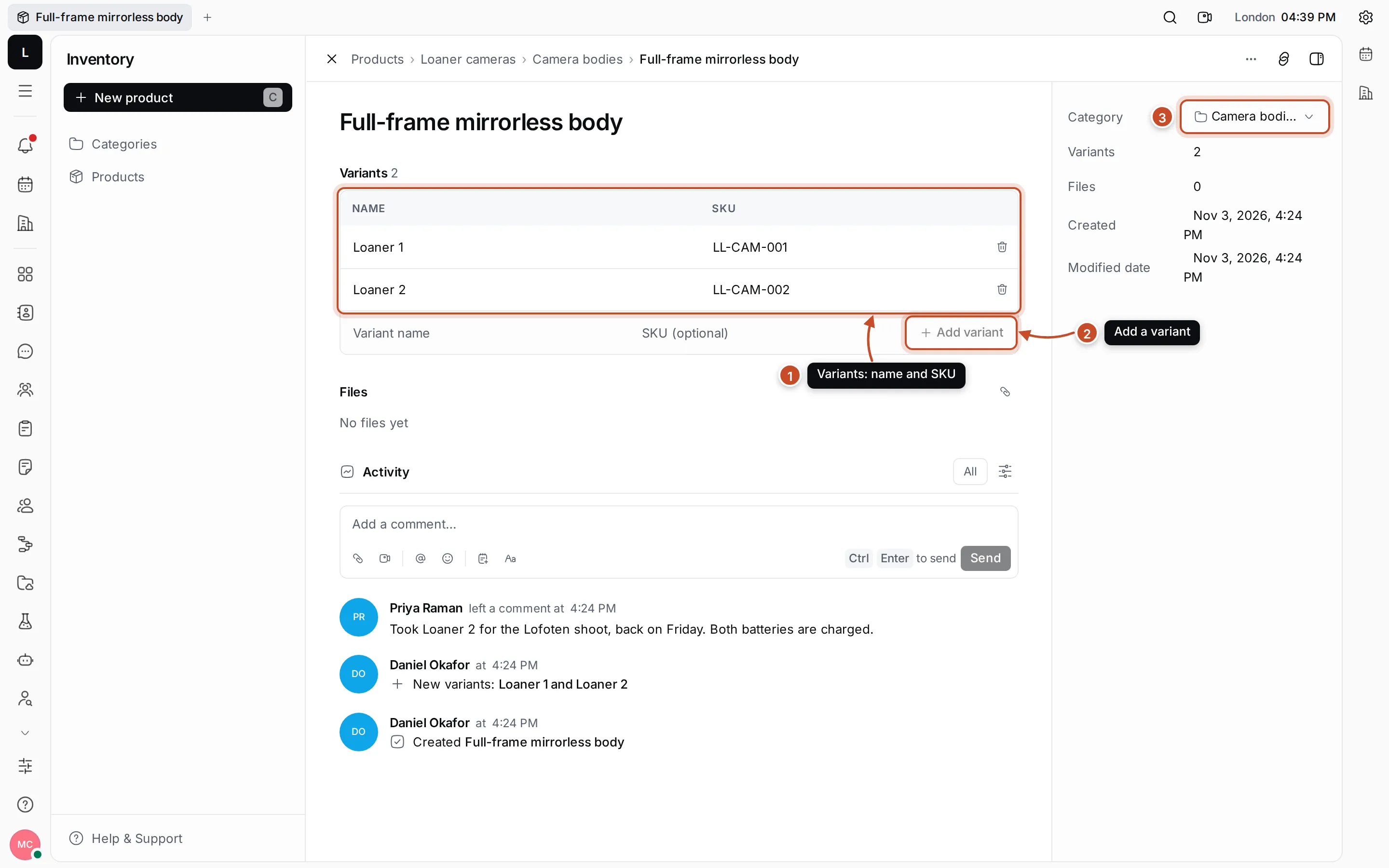
Lumen Labs tracks every loaner camera separately: the Full-frame mirrorless body has the variants Loaner 1 (LL-CAM-001) and Loaner 2 (LL-CAM-002), so the team can see which unit someone took.
Add variants
Section titled “Add variants”- Open the product.
- In the last row of Variants, type the Variant name and, if it has one, the SKU.
- Press Enter or click Add variant. The new variant is added, and the cursor stays in the name field so you can type the next one.
Change or delete a variant
Section titled “Change or delete a variant”- Click a variant’s name or SKU to change it. Press Enter or click elsewhere to save.
- Click the bin at the end of a row to delete the variant. You’re asked to confirm first.
The number of variants shows in the product’s details panel, on its category’s page and in the product list, where you can sort by it.