Interviews and reviews
A review is a meeting about a talent, such as an interview or the discussion of a test task. It has a date, the people who take part, their opinions and the verdict. Reviews have numbers such as RVE-4.
Schedule a review
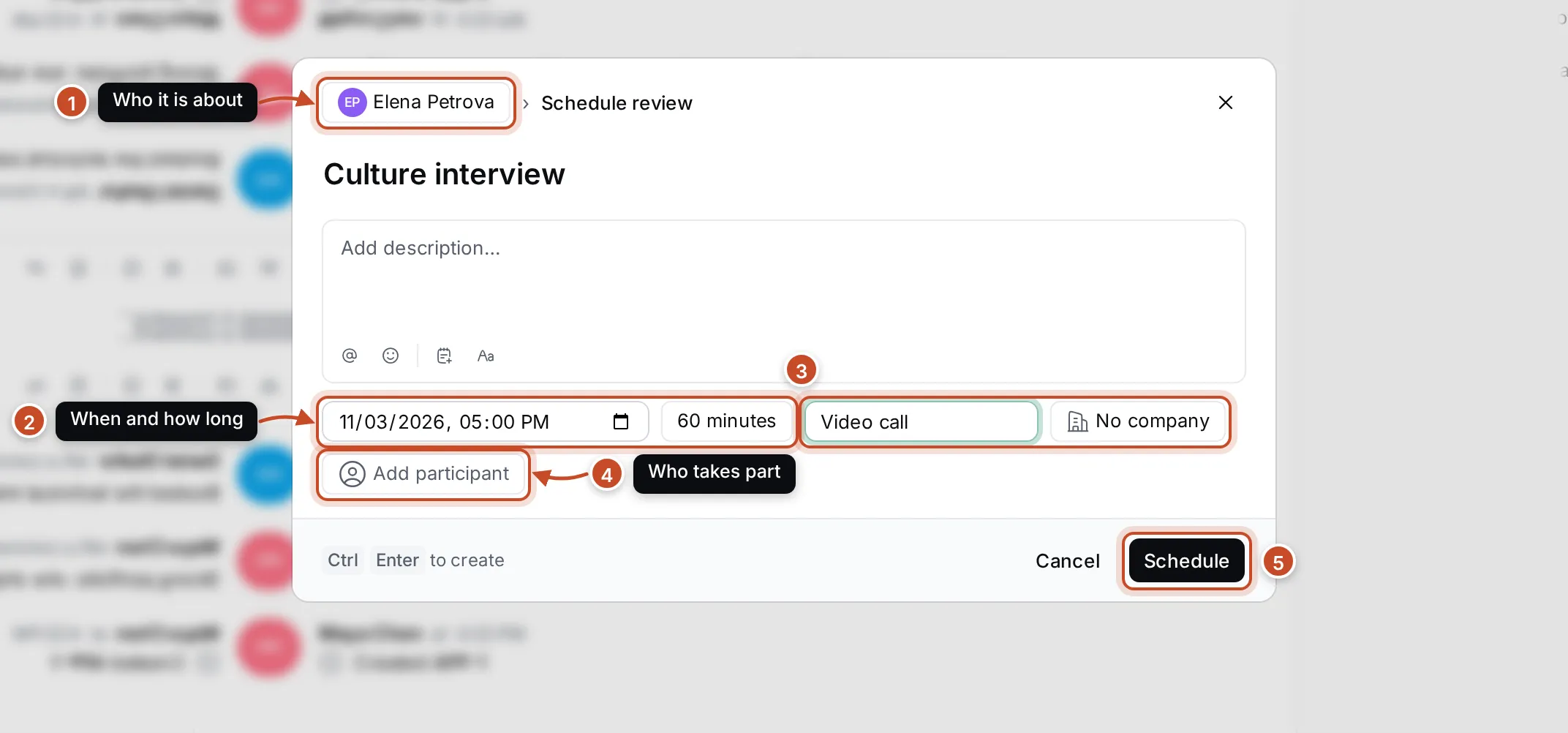
Section titled “Schedule a review”- Open the talent’s page or their application, and click Schedule review. From an application, the talent and the application are filled in. You can also click Schedule review above the Reviews list.
- Check who it is about (1). Click the talent’s name to pick someone else.
- Type the Review title, such as Technical interview, and a description if it helps.
- Set the date and time and the duration (2).
- Add the Location, such as a meeting room or Video call, and the Company (3).
- Click Add participant (4) for each colleague who takes part.
- Click Schedule (5), or press Ctrl Enter.
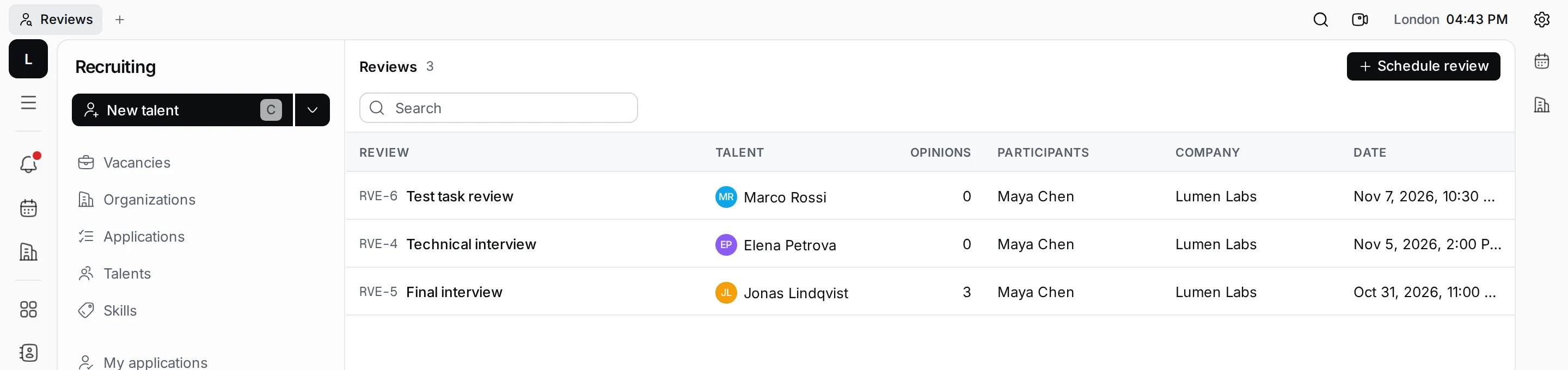
The review shows on the talent’s page, on the application, and in Reviews in the navigator. The list shows each review’s title, talent, number of opinions, participants, company and date, newest first.
Collect opinions and the verdict
Section titled “Collect opinions and the verdict”After the interview, open the review from the list, the talent or the application.
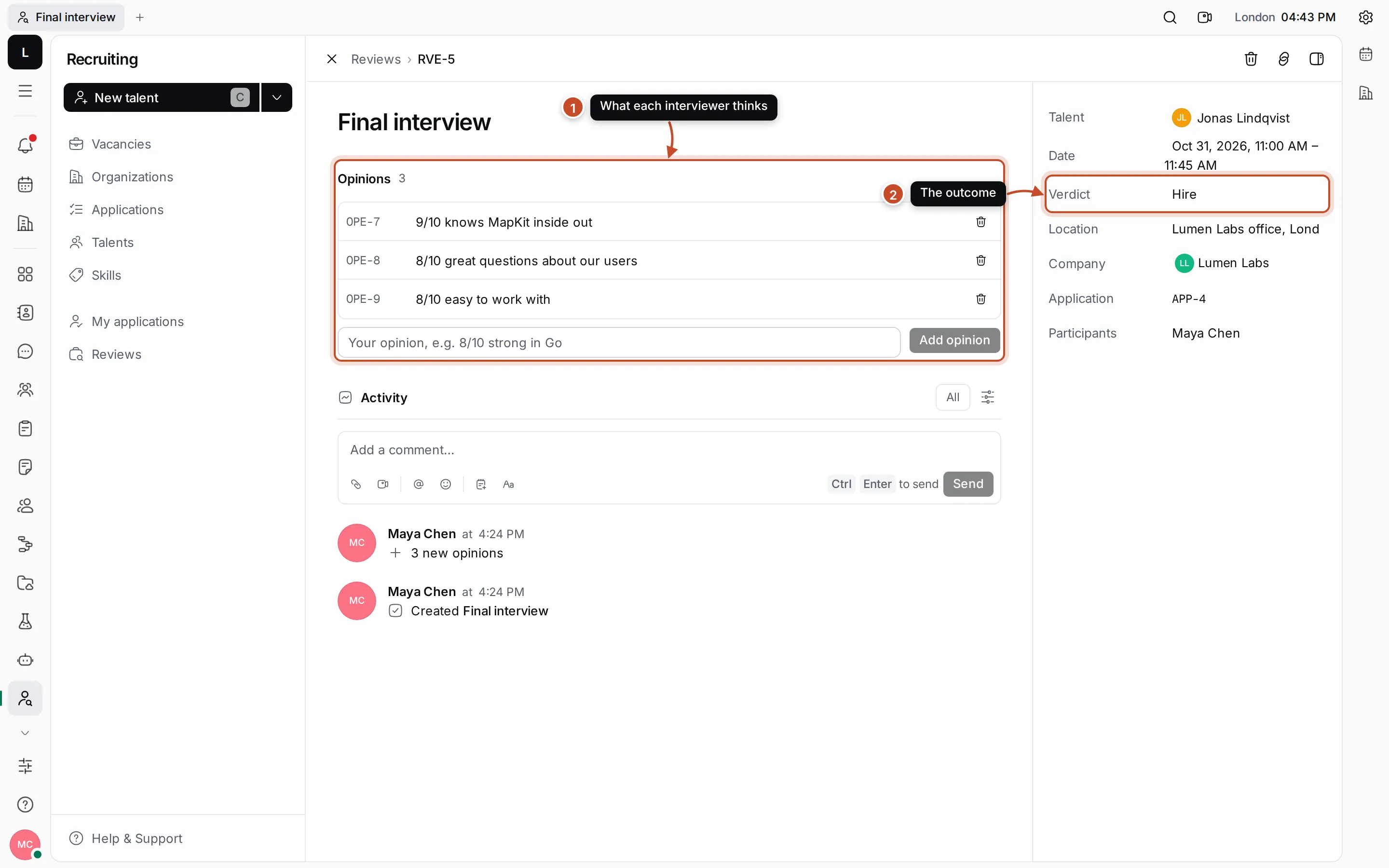
- Opinions. Each person who took part adds what they think, in a few words: type in the field under the list and click Add opinion. A score helps compare talents, such as “8/10 great questions about our users”. Click an opinion to change it, or its bin icon to delete it.
- Verdict. The outcome of the review, such as Hire or No hire. Click it to type.
The details also show the talent, the date, the location, the company, the application and the participants. Change the title by clicking it. Below the opinions is the review’s activity, where you can comment.
To delete a review, open it and click the bin icon in the top bar, then confirm. Its opinions are deleted with it.