Spaces, categories and folders
Controlled documents are kept in spaces. A space holds its own templates, categories, folders and documents, and decides who may do what with them. Inside a space, documents form a tree you can organise with folders.
Create a space
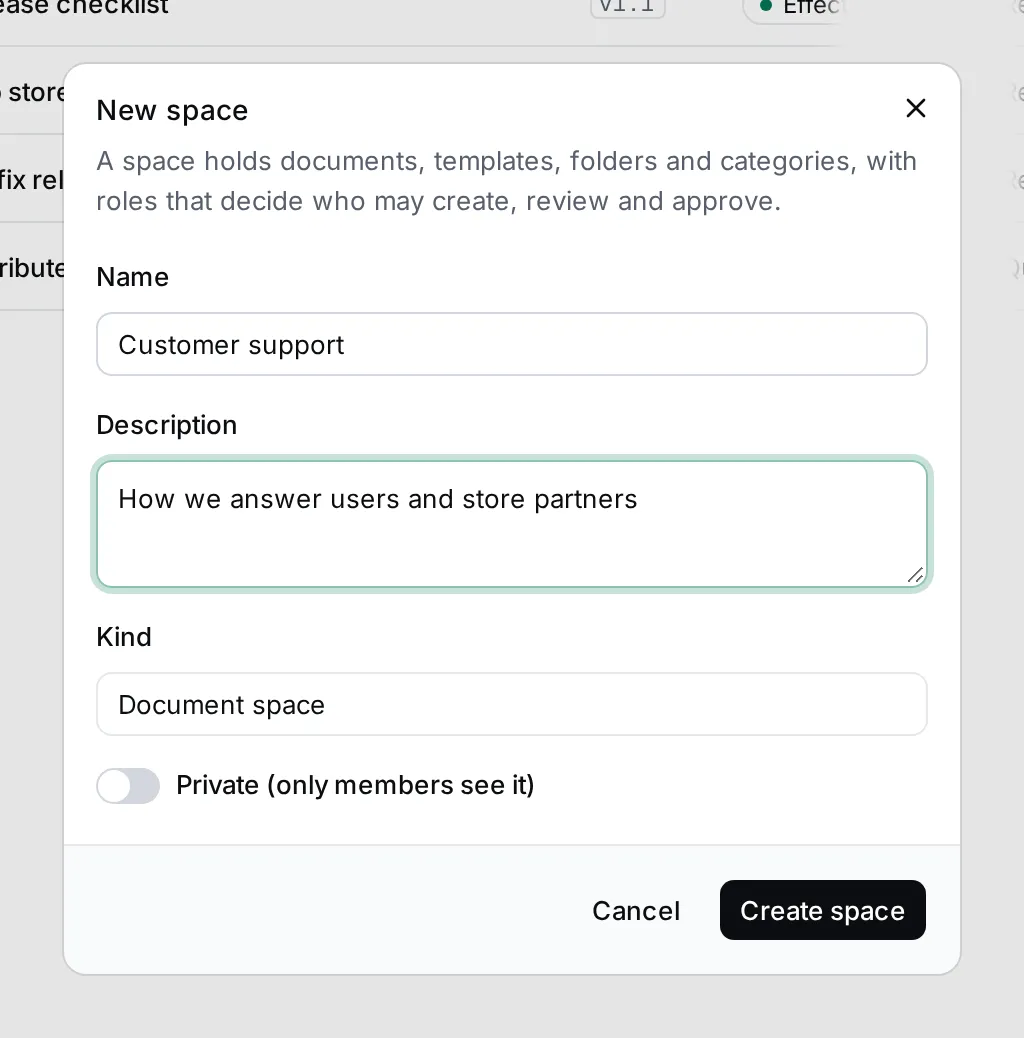
Section titled “Create a space”- In Controlled documents, click + next to Spaces in the navigator. You can also click the arrow next to New document and choose New space.
- Enter a Name and a Description.
- Choose the Kind: Document space, Organization (quality documents) or External documents.
- Turn on Private (only members see it) if the space is for its members only.
- Click Create space. The new space opens.
Browse a space
Section titled “Browse a space”Click a space under Spaces to see its documents and templates as a tree. Each row shows the code, the title, the version and the status of the version you’re shown: the effective one, or the draft you’re working on.
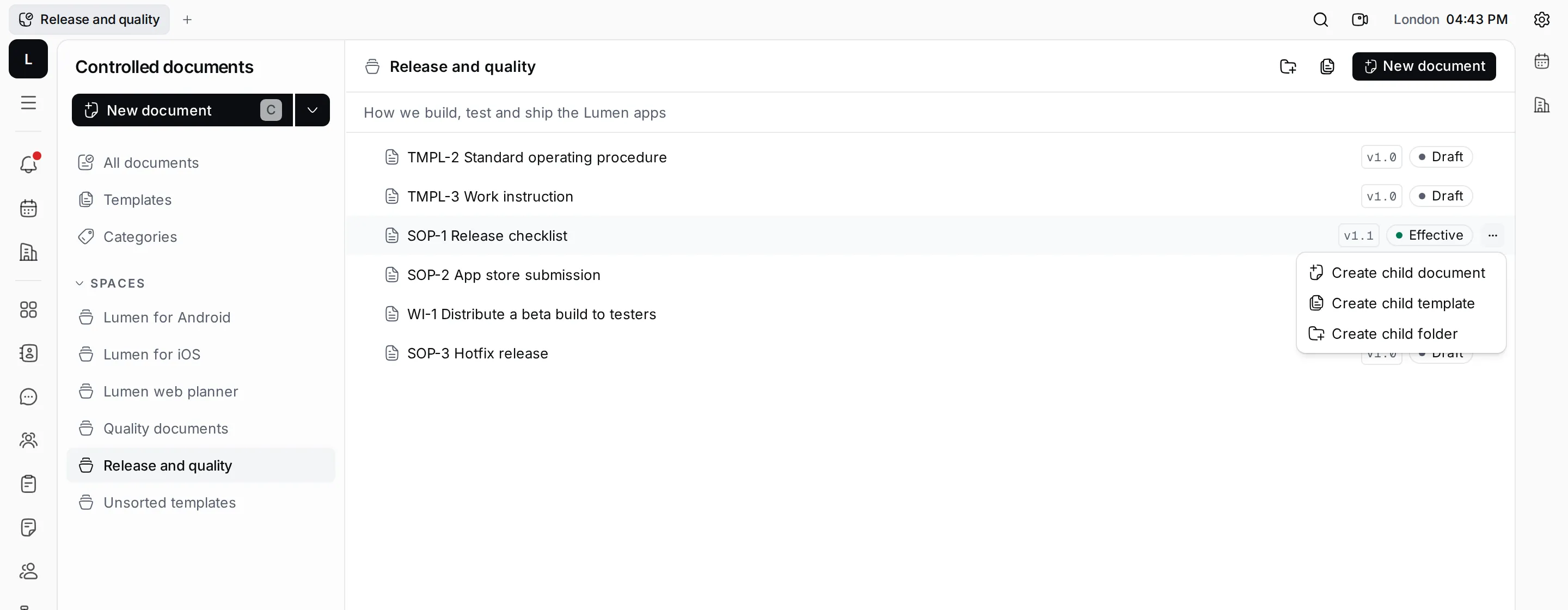
Click a row to open it. Click the arrow before a row to fold the documents under it; the keyboard’s arrow keys and Enter work too. Documents that are deleted or obsolete leave the tree.
Arrange documents in folders
Section titled “Arrange documents in folders”Hover over a row and click ⋯, or right-click it:
- Create child document and Create child template create one under this row.
- Create child folder adds a folder under it. Folders only hold other rows; they have no content of their own.
- Rename folder appears on folders.
The buttons at the top of the space create a folder or a template at the top level.
Categories
Section titled “Categories”Categories sort documents by subject. Each has a short Code, such as REL, and a Title, such as Release management. A template carries a category, and every document made from it starts in that category.
Click Categories in the navigator to see the categories of all your spaces.
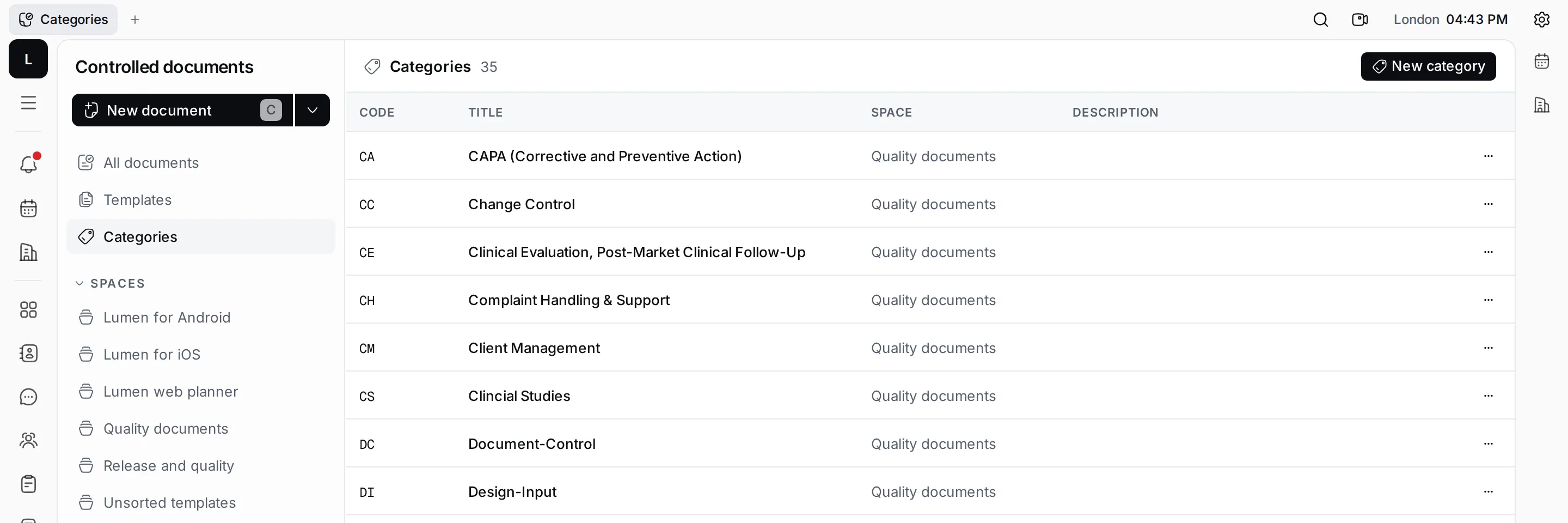
To add one, click New category, pick the Space, enter the Code, Title and a Description, and click Create category. Use the ⋯ on a row to Edit category or Delete it. A category that documents use can’t be deleted.