Answer surveys with polls
A survey is a form of questions you ask again and again, such as an interview scorecard. To answer it about someone, you make a poll from it on their talent page, their application or a vacancy. The poll keeps the answers, and the survey adds up the answers of all its polls.
Talent pages, application pages and vacancy pages each have a Polls section.
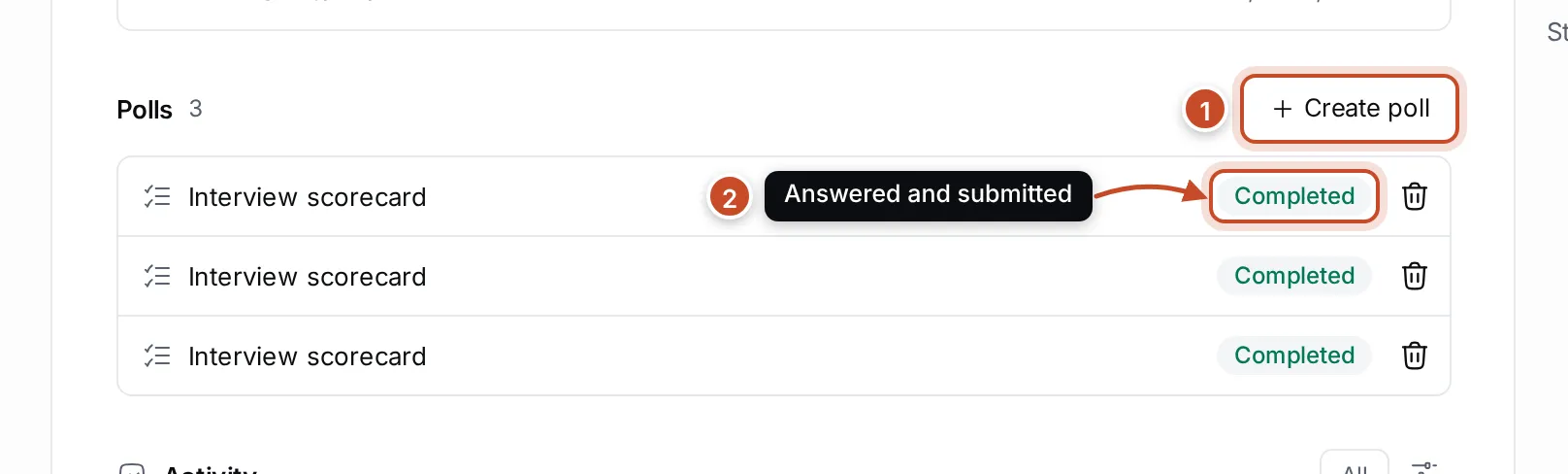
- Create poll. Make a new poll from one of your surveys.
- The polls. Each poll shows its survey’s name and how far it is: Completed once its answers are submitted, or how many questions are answered so far, such as 1 of 3 answered. Click a poll to open it, or its bin icon to delete it.
Answer a survey
Section titled “Answer a survey”- Open the talent, application or vacancy, and scroll to Polls.
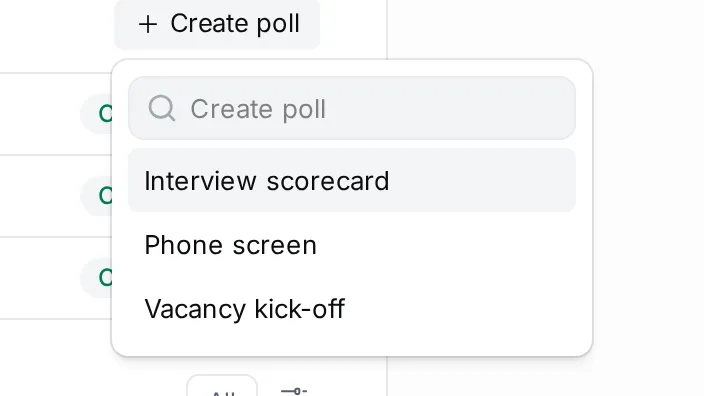
- Click Create poll and choose the survey.
- The poll opens. Answer the questions: type for text questions, choose one option or several for choice questions. Questions marked * (1) must be answered.
- Click Submit (3) and confirm.
Your answers are saved as you go, so you can leave a poll half done and come back to it. About (2) shows what the poll is about; click it to go back to the talent, application or vacancy.
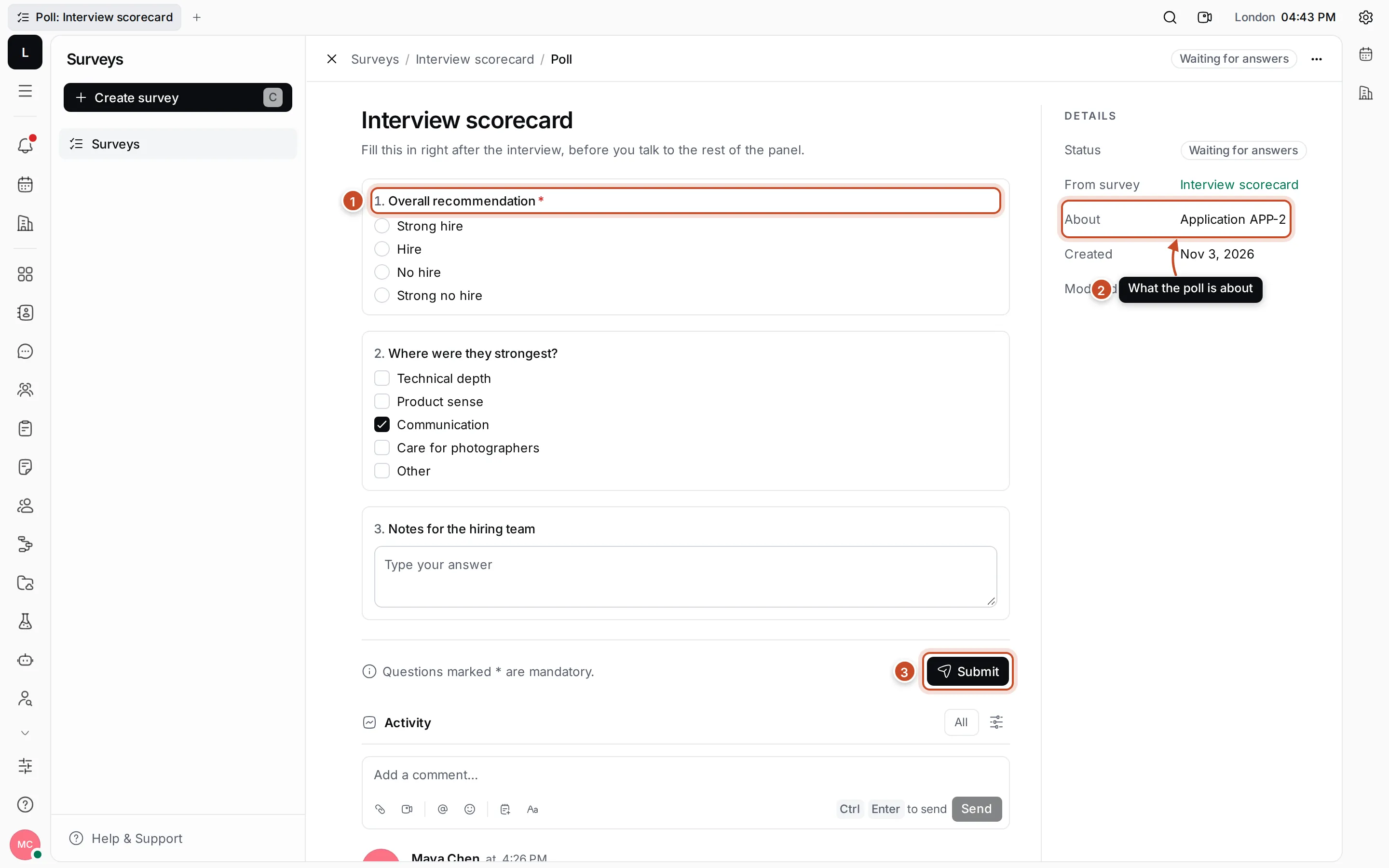
If a mandatory question has no answer, Submit says how many are missing and outlines them. After you submit, the poll is Completed and read-only. Click Edit answers to change it again.
To see every poll of a survey and the totals of their answers, open the survey in Surveys. See Polls and results.