Vacancies
A vacancy is a position you are hiring for. It holds the job description and every application to it, so the people hiring for it see the same picture.
Create a vacancy
Section titled “Create a vacancy”- Open Recruiting and click Create vacancy above the list. You can also open the menu next to New talent and choose Create vacancy.
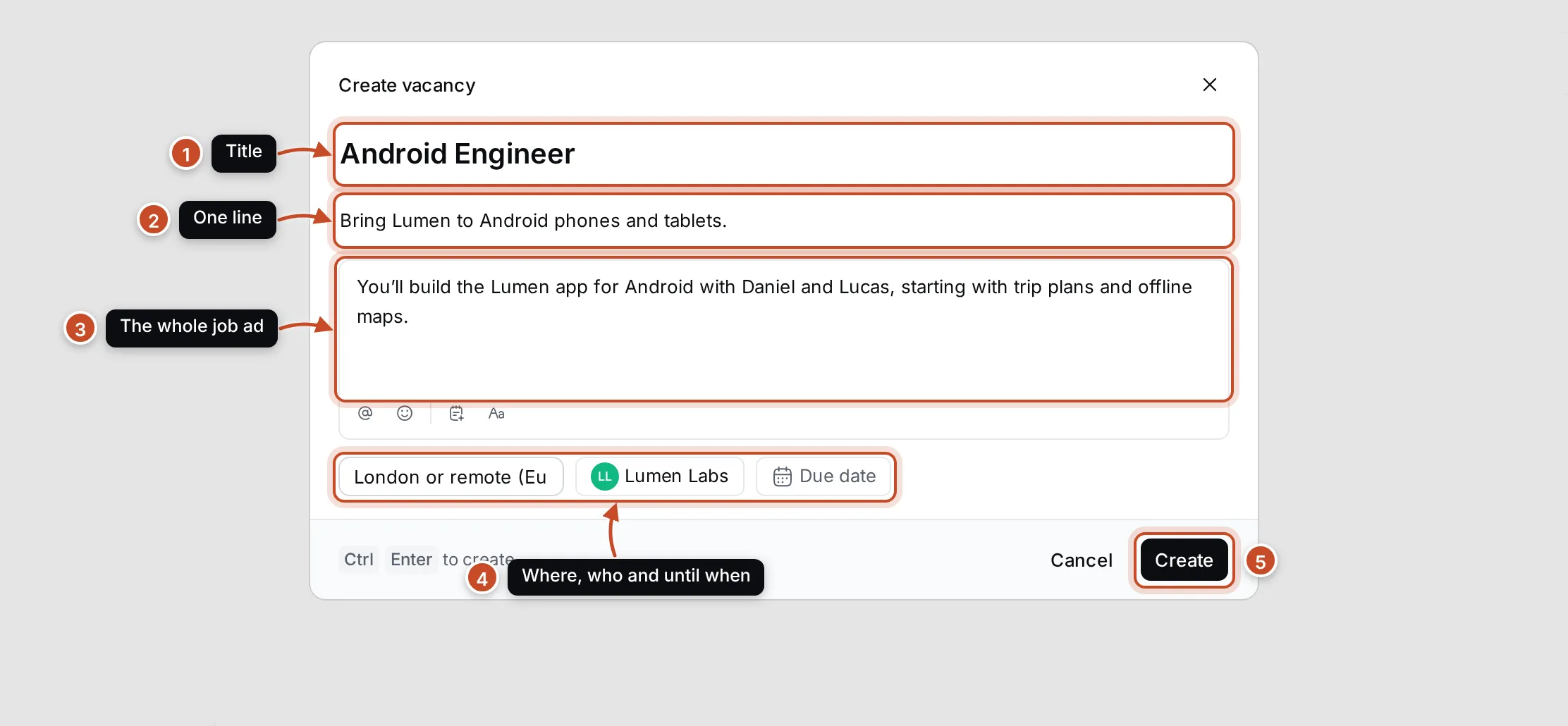
- Type the title (1), such as Senior iOS Engineer.
- Add a short description (2): one line about the position. It shows under the title.
- Write the full description (3): the tasks, what you look for and anything else a job ad says. It is a rich text field, so you can use headings and lists.
- Fill in where and for whom (4): the Location, the Company (pick one, or type a new name in Or a new company…) and the Due date by which you’d like to hire.
- Click Create (5), or press Ctrl Enter.
The vacancy appears in the list with its number, such as VCN-4. Only the title is required; you can fill in everything else later on the vacancy’s page.
The vacancy page
Section titled “The vacancy page”Click a vacancy in the list to open it.
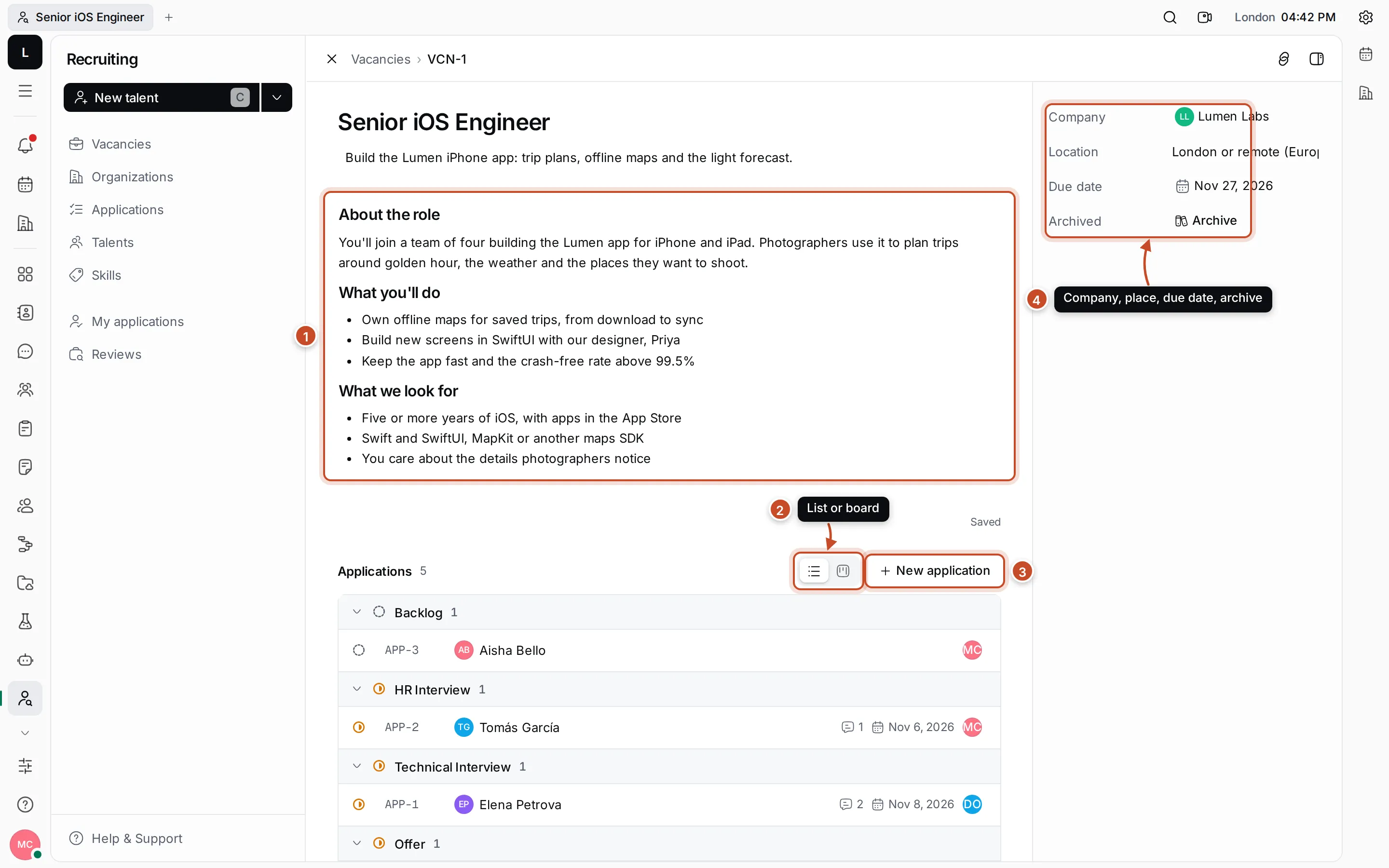
- The description. Click the title, the short description or the full description to change them. The full description is saved as you type, and colleagues editing it at the same time see each other’s changes.
- List or board. The vacancy’s applications, grouped by stage in a list or as columns on a board. See Applications and the pipeline.
- New application. Apply a talent to this vacancy. The vacancy is already filled in.
- Details. The Company, Location and Due date, which you can change here, and Archive.
Below the applications are the vacancy’s polls, such as a kick-off survey you fill in with the hiring manager, and its activity, where you can comment and see what changed.
Archive a vacancy
Section titled “Archive a vacancy”When the position is filled or put on hold, click Archive in the vacancy’s details. The vacancy disappears from the list, and its applications stay where they are. To see archived vacancies, switch on Show archived above the list. Open one and click Unarchive to reopen it.
Find a vacancy
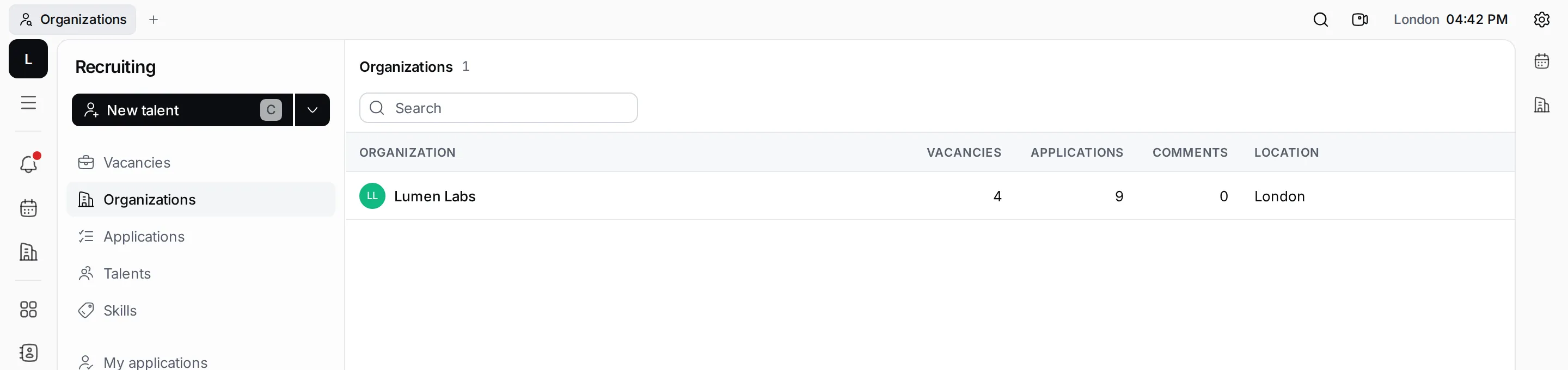
Section titled “Find a vacancy”Type in Search above the list to find vacancies by title. Organizations in the navigator lists the companies that have vacancies, with how many vacancies and applications each has. Click a company to see only its vacancies.
Companies are kept in Contacts, so a company you type in Or a new company… also appears there.